
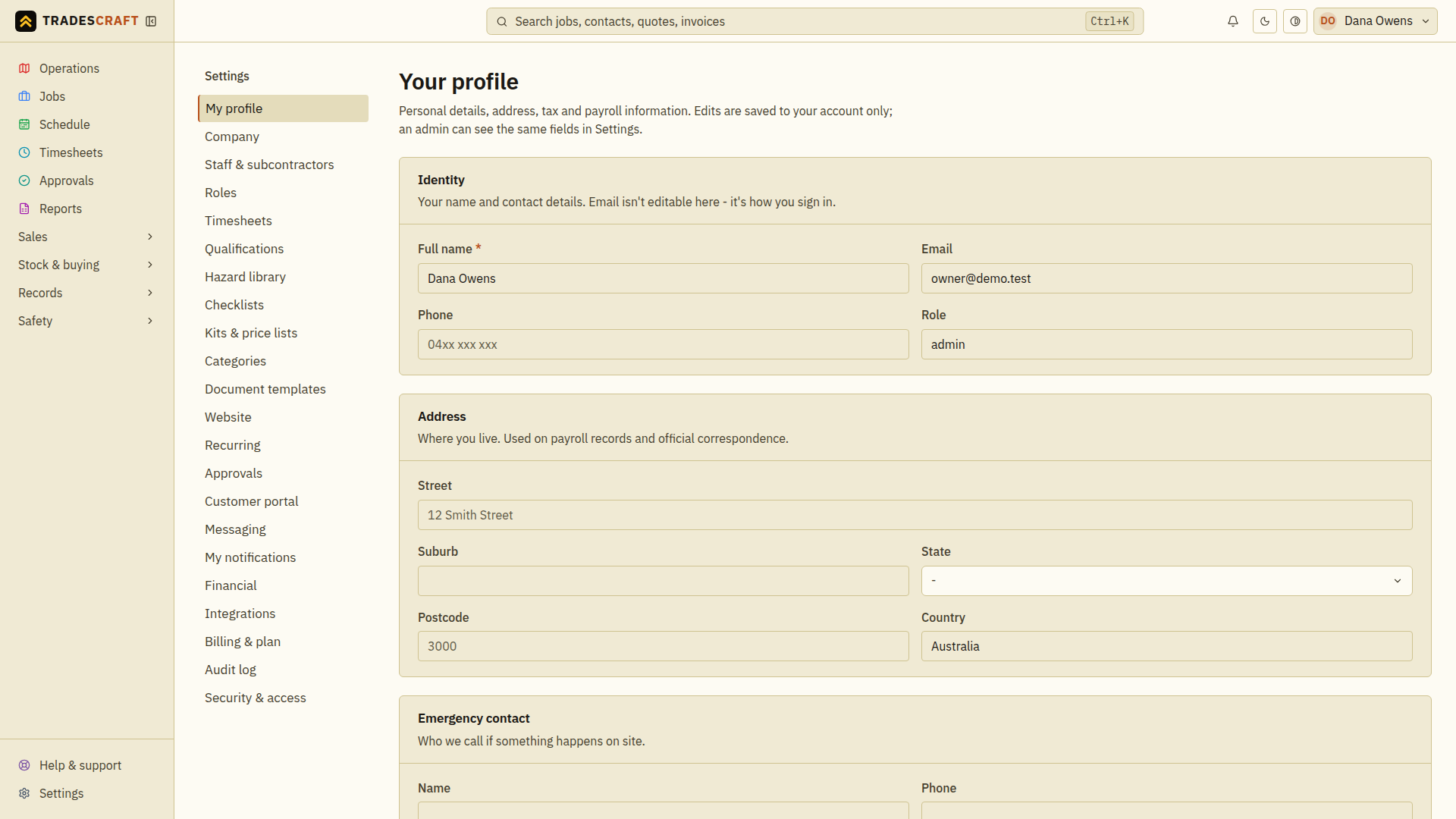
Your profile is your personal account (separate from the business settings). Open it from your name in the top-right, then Profile.
What you can do
- Update your name, contact, emergency contact and address.
- In AU/NZ, fill in your country-specific payroll/tax details (such as TFN or IRD, bank account and superannuation/KiwiSaver). For your protection these are stored encrypted and shown masked (e.g.
***789) once saved - choose Reveal saved details to see or change a value (each reveal is recorded in the audit log), or just leave a field blank to keep what's already on file. - In Australia, upload your TFN declaration form. Its download link is created only after you deliberately choose Reveal, and that reveal is recorded. Your own tax details remain available to maintain if the business is in billing read-only mode.
- US profiles do not expose the AU/NZ payroll, tax, bank or retirement fields; Tradescraft is not acting as a US payroll/withholding system.
- Set up passkeys and two-step sign-in (2FA) for a more secure login - right here on this page.
- Grab a private calendar feed of the jobs booked to you.
If the live business billing status cannot be verified temporarily, a banner explains that existing records are still viewable while editing remains protected. Refresh after the banner clears before changing profile or calendar settings.
Tips
- Securing your login with a passkey or 2FA protects your customers' data - well worth the two minutes.
- Forgot your password? Reset it from the Forgot password? link on the sign-in screen.
Save a profile change
- Open your name in the top-right, then Profile.
- Change the personal or contact fields you need. Leave a masked sensitive field blank if you want to keep its saved value.
- Choose Save changes and wait for confirmation. Reopen the page to check the saved result. Use Discard to abandon edits before saving.
Password and sign-in email changes are under Settings → Security & access; changing a contact detail does not replace those separate sign-in steps.