
The customer portal is the secure login your tradie gives you. You see only your work with them - your jobs, quotes, invoices and sites - and nothing about their other customers.
You need an email invitation from the business before you can sign in. Use the email address they invited.
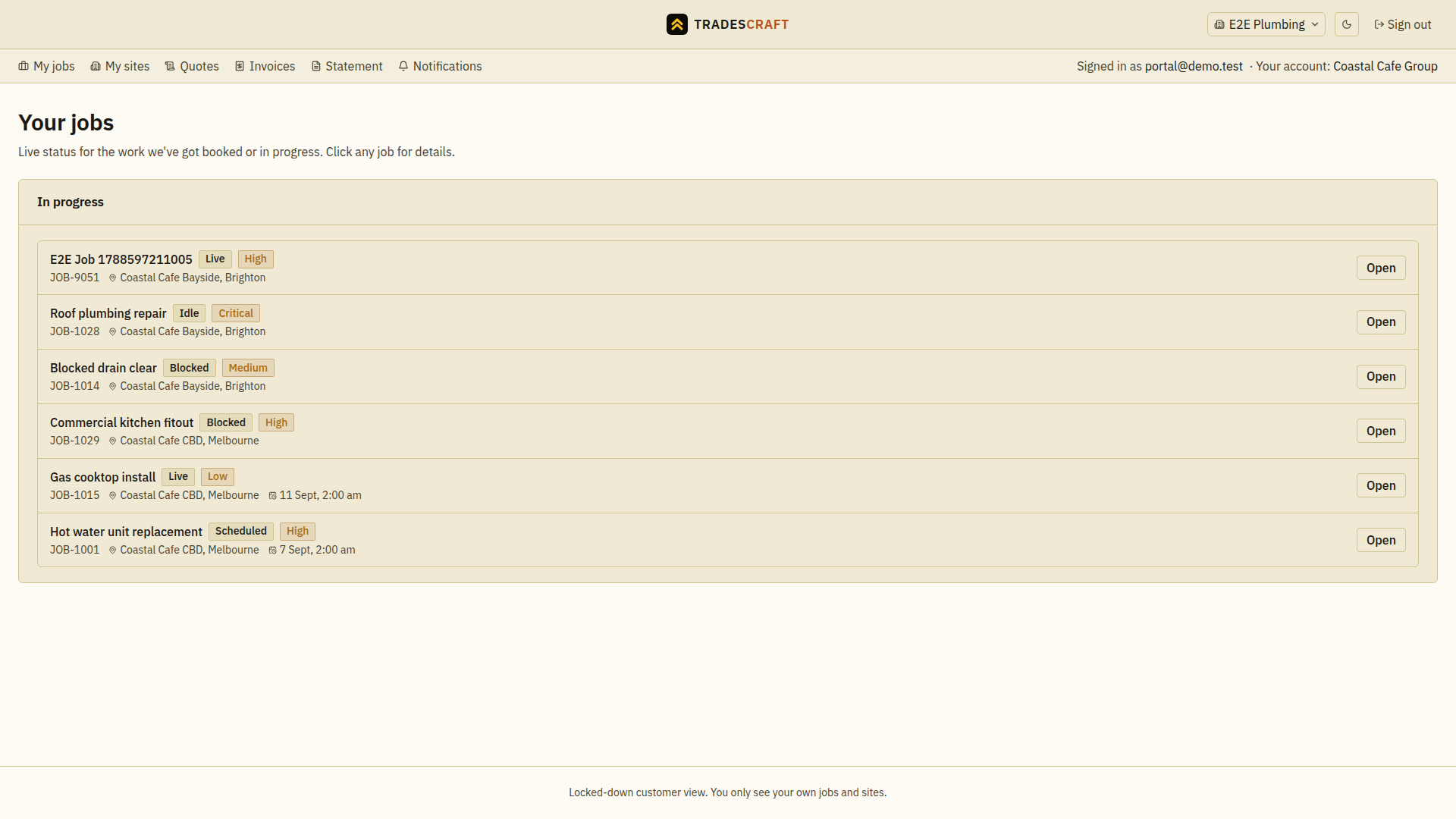
Sign in and find your work
- Follow the business's invitation with the invited email address. Finish any password setup and two-factor setup, which adds an extra check when you sign in. If you already use the portal with another business, choose Accept on the invitation to connect.
- Check the business name and Your account in the header. If several businesses are connected, use the business switcher.
- In My jobs, choose Open on the relevant job, or use Quotes or Invoices for a document the business has shared.
If a section or record is missing, ask the business to check your access and which sites they have shared with you. Do not create another login to try to make the missing records appear.
What's on it
- A top menu for the sections your tradie has shared: My jobs, My sites, Quotes, Invoices, Statement and Notifications. Some tabs can be hidden by the access given to your login.
- It shows whose account you're in ("Your account: …") and the tradie's business name up top.
- The home page lists your jobs and their live status (booked, in progress, done). Tap Open on any job for details.
Good to know
- It's a locked-down view: you only ever see your own jobs and sites - that's by design.
- If your tradie deactivates your portal access, opening the portal returns you to sign-in. Contact your tradie if you need access restored.
- If the portal cannot check your access, wait a moment and try again. Contact the business if you still cannot open it.
For tradies
You invite a customer to the portal from their contact's details page (or under Settings → Customer portal). You can limit their access to particular sites. Each login sees the records and sites you share with it. Paying online also needs the payment permission and ready card payments.