Jobs is the heart of Tradescraft - every piece of work you're running, from a one-hour call-out to a multi-week project. Open it from Jobs in the menu.
What's on the list
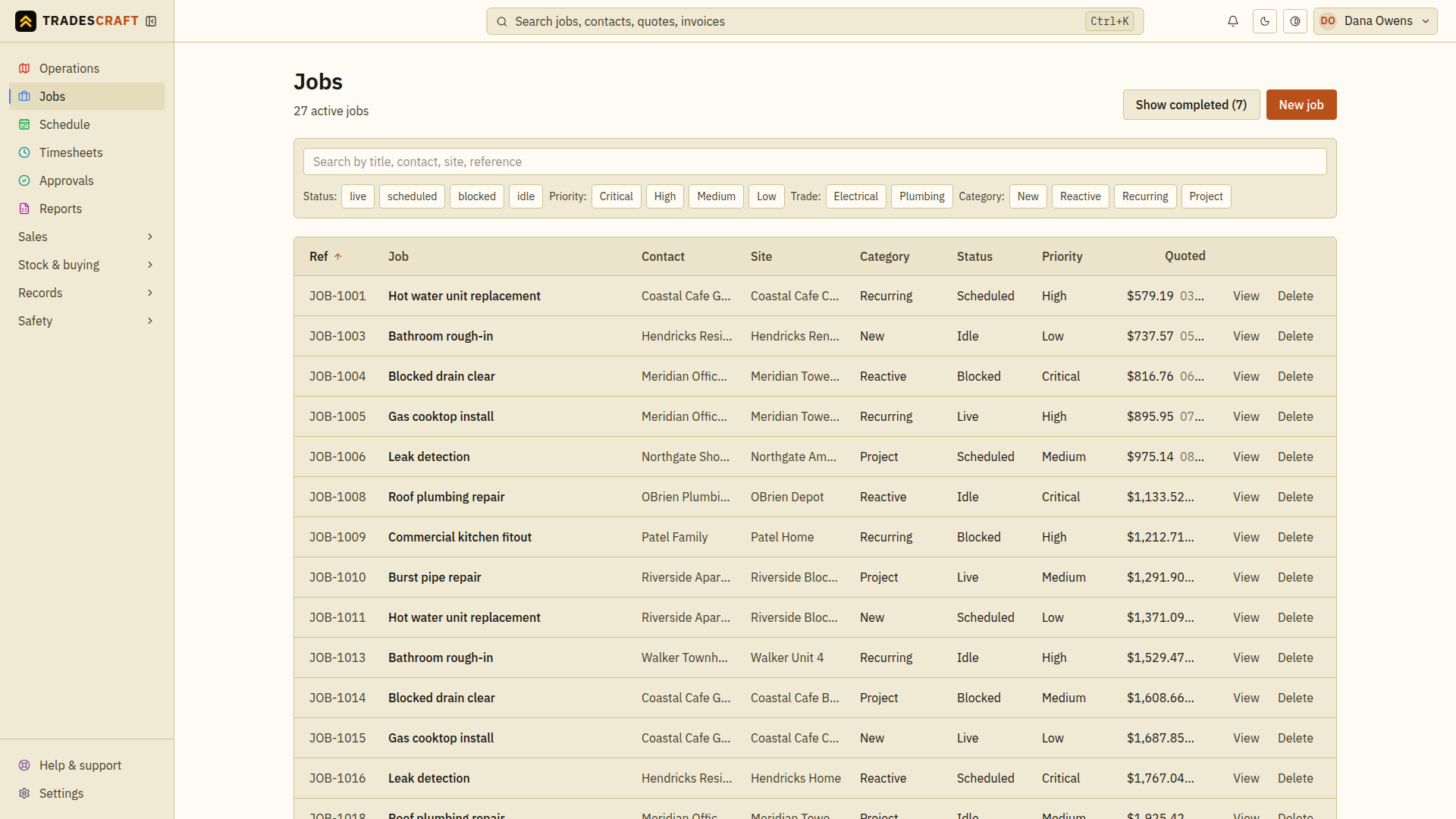
Each row is a job. At a glance you can see its number (JOB-0001…), title, the customer and site, its status, type and priority, and how it's tracking on hours and cost.
Job statuses:
- Live - on the go.
- Scheduled - booked for a date.
- Blocked - waiting on something (a part, access, a decision).
- Complete - finished.
- Idle - logged but not started.
Getting around
- Click a row to open the full job.
- Sort the jobs on the current page by a column heading (e.g. priority or status).
- New job (top-right) starts a new one.
- Search the top bar for a job number or customer to jump straight there.
Find what you need
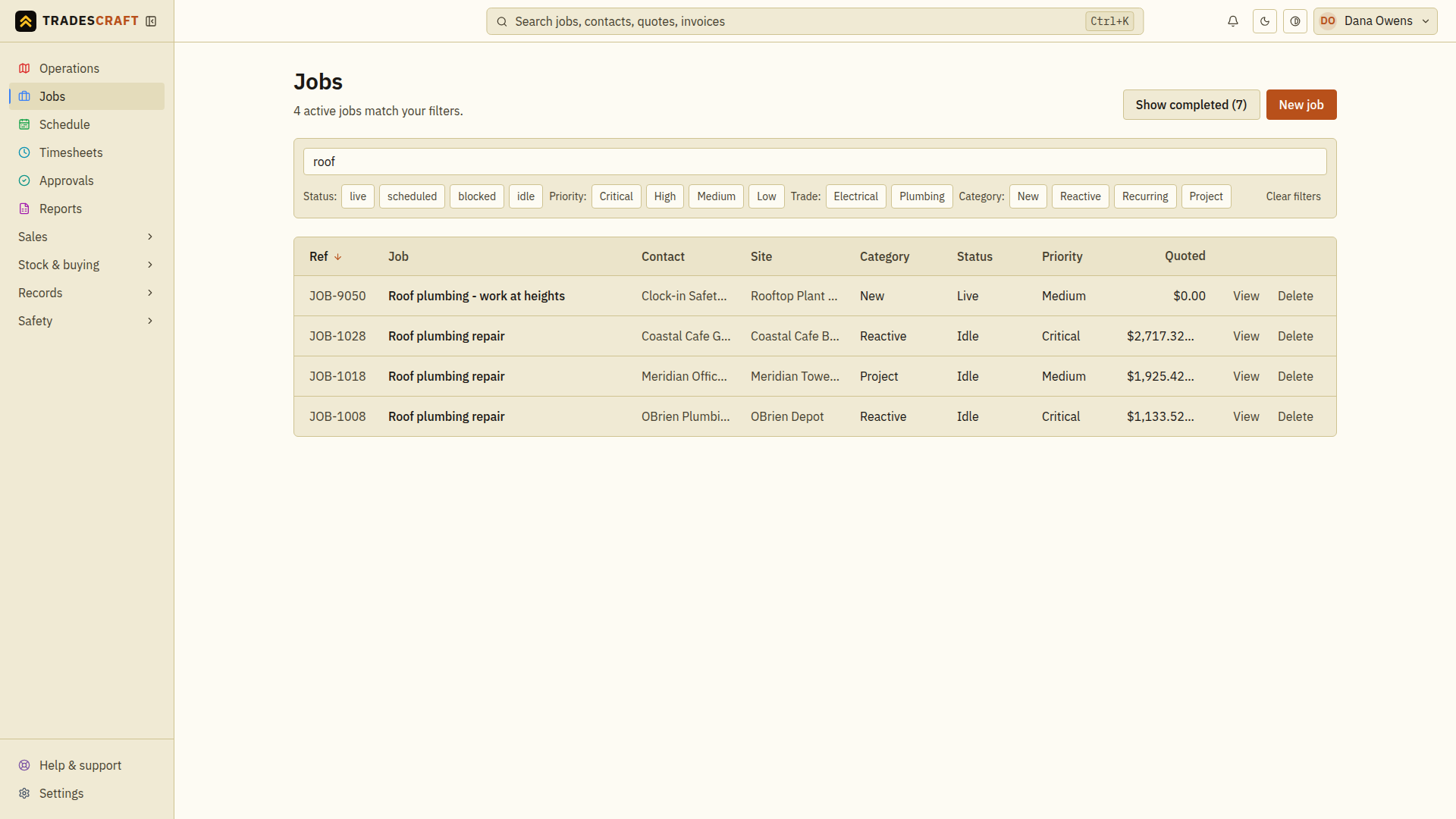
- Enter a title, contact, site or reference in the search box above the filter buttons. Search covers every page in the current active or completed view. Choose Priority, Trade or Category to narrow the list, or Status when viewing active jobs. The count above the list shows all matching jobs, including those on later pages.
- Check the customer and site on the matching row before opening it. Similar job titles can belong to different addresses.
- Open the row to read the brief, book resources or record work. Follow Job details for those actions.
Use Show completed to find finished work, and Show active to return to current jobs. Switching views keeps your search, priority, trade and category; it clears the status selection and starts at page one.
Clear filters clears the search text and filter selections together while keeping you in the active or completed view. If no jobs match, try a different search or clear the filters; the controls stay available above the empty list.
If there are several pages, search and filters apply before the results are divided into pages. Changing the search or a filter returns you to page one; opening or refreshing a later page keeps your place. Column sorting applies to the jobs on the current page.
Searching changes the list you see; it does not change any job.