
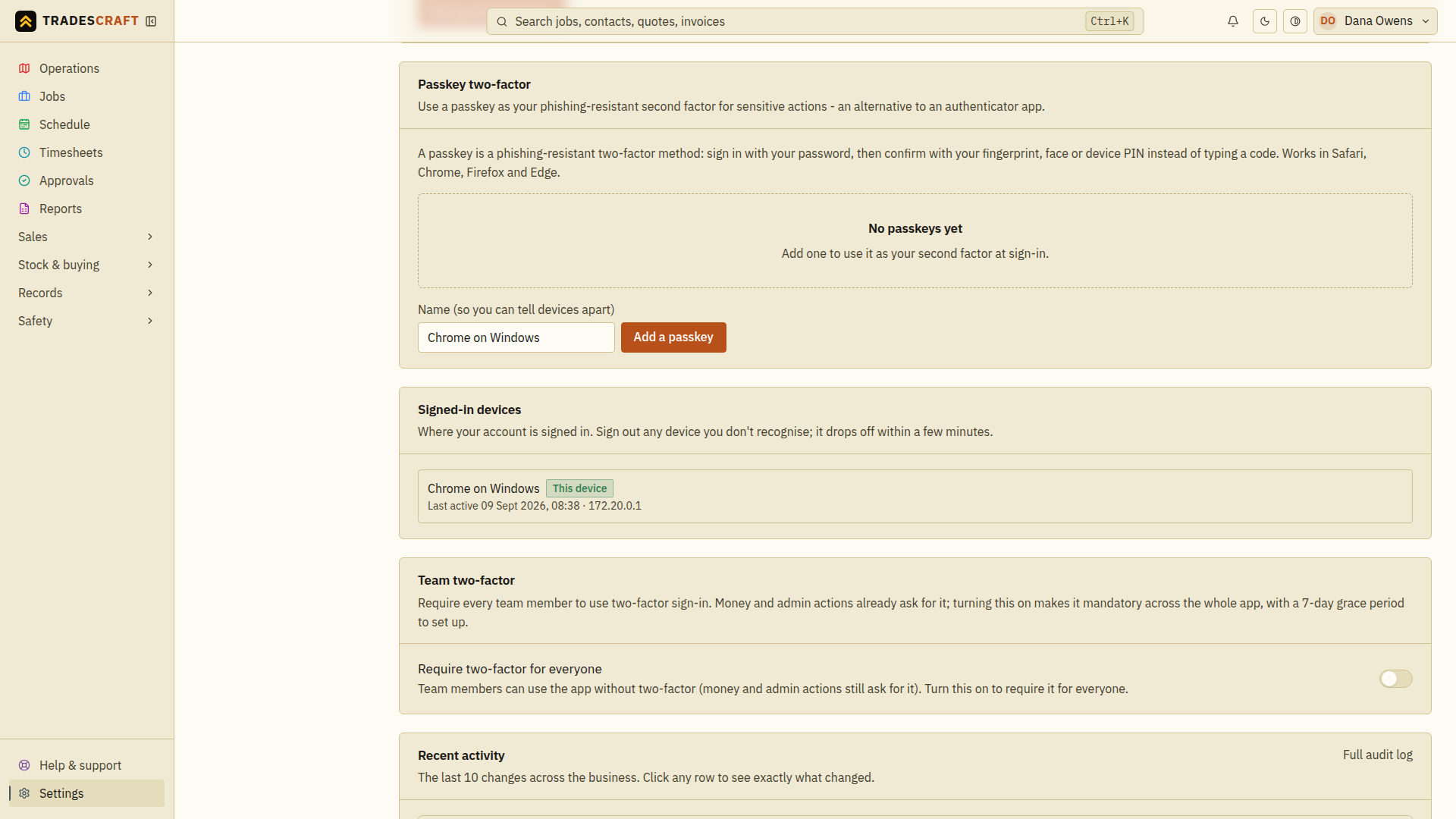
If you've signed in on your phone, a work laptop and the office computer, each one is a separate session. The Signed-in devices card on Settings → Security & access lists them all - so if you lose a phone or see something you don't recognise, you can sign it out without changing your password.
What each row shows
- The device (e.g. "Chrome on Windows", "iPhone").
- When it was last active, and the IP address it connected from.
- This device - a badge on the one you're using right now. You can't sign this one out from here (use the normal Sign out in the top-right menu for that).
Sign a device out
- One device: tap Sign out next to it. That device is bounced to the sign-in screen when it next checks the session. Further protected data access is rejected after revocation; signing in again creates a new session.
- Everything except this one: tap Sign out everywhere else - handy after using a shared or public computer, or if you just want a clean slate. You stay signed in here.
Good to know
- Signing a device out doesn't change your password or your two-factor - it just ends that session. If you're worried an account is compromised, it's worth changing your password too (that also signs out your other devices).
- A disconnected device may still display information it already loaded. Signing out does not erase that screen or downloaded files. It prevents the revoked session from loading more protected data or saving changes.
Confirm a session was removed
Check the device and last-active information before choosing its sign-out action. Wait for the success message and the refreshed list; the removed session should no longer appear. If the request fails, refresh and try again before assuming access was revoked. For your current browser, use your account menu's Sign out instead.