
"Dispatching" is just booking someone onto a job for a time window. What makes it different here is the compliance check that runs when you pick a worker. For AU/NZ accounts, Tradescraft compares the site's mandatory qualifications with that worker's current records. The result is a warning by default; an account can enable the Compliance setting to stop a booking when a required qualification is missing or expired.
Start a dispatch
You can open the booking panel from wherever you happen to be:
- On the Schedule board, hover a worker/day cell and click the +.
- Schedule appointment (top-right of the schedule) for a blank booking.
- From the job itself - its Booked resources → Assign crew, machine or vehicle.
- From the Operations map - Dispatch on a job or worker pin.
They all open the same panel. Pick the worker (or machine/vehicle), set the start and end window and a status, then Add to schedule.
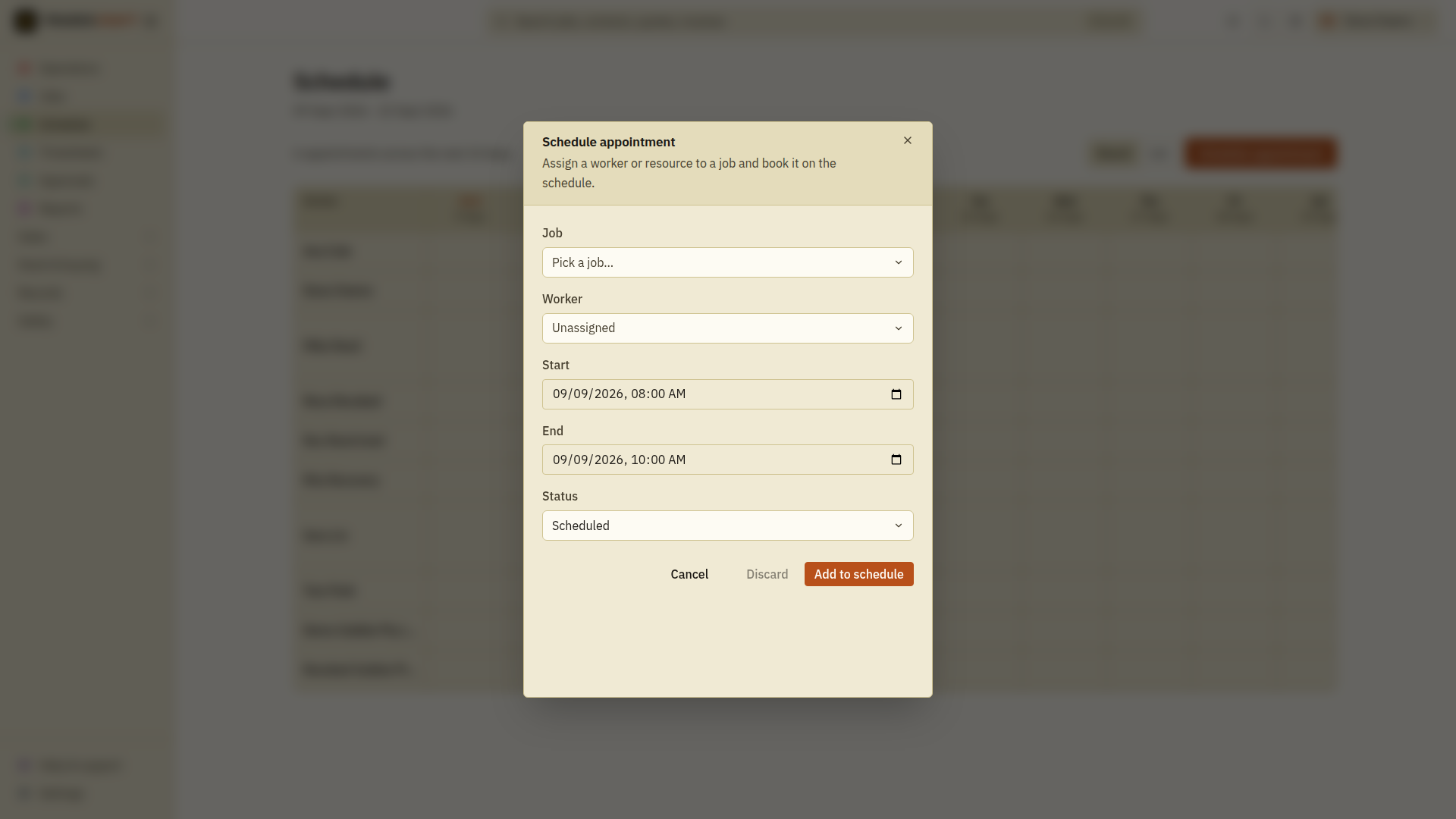
The compliance check - block vs warn
As soon as you pick a worker, a banner shows whether they're clear for this job. There are two levels:
- Warning (amber) - something to know about, but you can still book. Examples: a ticket that expires soon, or a JSA/SWMS not signed yet. The booking goes through; the warning rides along so it's on your radar.
- Blocked (red) - the person isn't allowed on this job, and Add to schedule is switched off until it's fixed. Examples: a required licence that's missing or expired, a vehicle whose rego/WoF has lapsed, or a subcontractor whose public-liability insurance has run out.
What decides "required"?
The requirements a job is checked against live on its site, not the job - so you set "this site needs a licensed electrician and a working-at-heights ticket" once, on the site, and every job there is checked against it. See Site details to set a site's requirements.
Clearing a block
The banner tells you exactly what's wrong. To clear it:
- Missing/expired licence → renew it on the worker's record under Settings → Qualifications.
- Vehicle rego/WoF → update the vehicle under Vehicles.
- Subbie insurance → update their public-liability details on their subcontractor record.
- Wrong requirement on the site → fix it on the site.
Then reopen the booking - the banner clears and Add to schedule comes back.
Safety checks before starting work
A safety plan warns at dispatch. It becomes a hard stop at clock-on only when the plan's own clock-in requirement is enabled, or when the account-wide Compliance setting requires every active or signed plan on the job. Every required plan must pass before the timer starts. See Set up clock-on safety checks.