
One portal login can work with several tradies. If more than one business you deal with uses Tradescraft, they can all share your work with the same account - and you switch between them whenever you like, with exactly one open at a time.
Accept a connection request
When another tradie invites your existing account, a "You've been invited to connect" banner appears at the top of the portal.
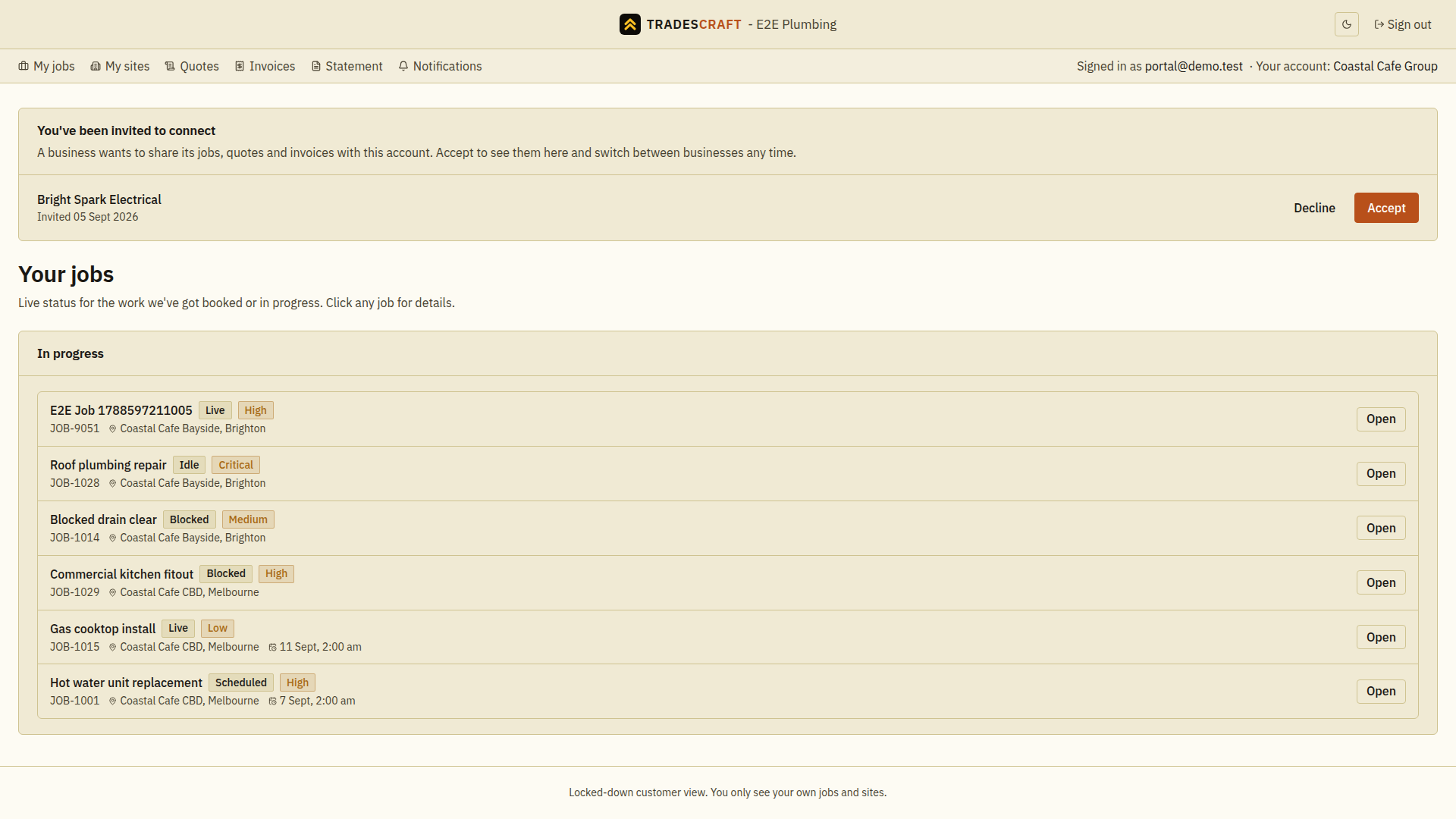
- Tap Accept to connect. Their jobs, quotes and invoices become available, and they join your list of tradies to switch between.
- Tap Decline if you don't recognise them or don't want to connect. You'll be asked to confirm - declining removes the request.
Switch between tradies
Once you're connected to more than one, a workspace switcher sits in the portal header (top-right), showing the tradie you're currently viewing.
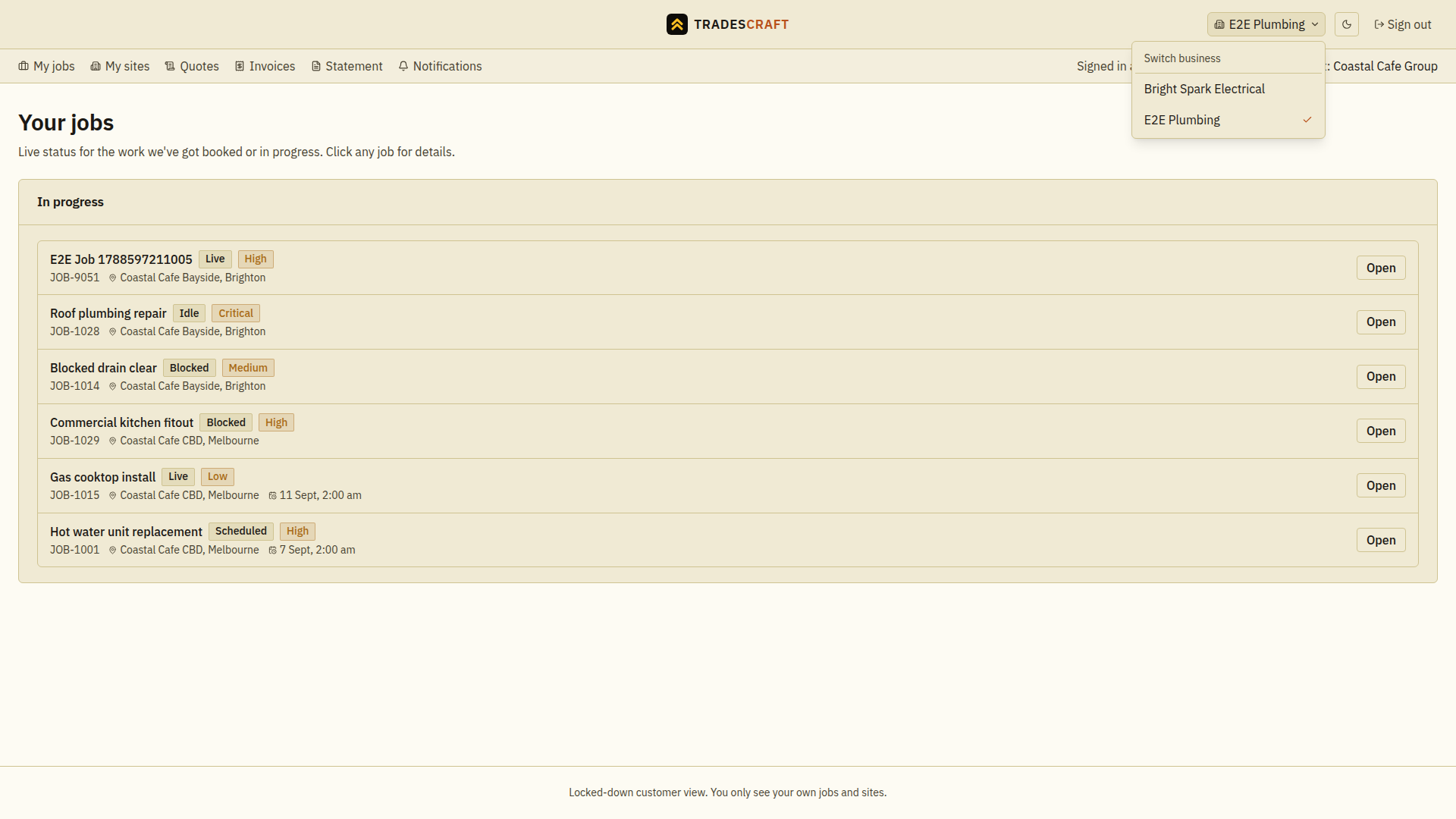
- Tap it and pick a tradie to switch to - the portal reloads showing their jobs, quotes, invoices and sites. A tick marks the one you're on.
- You only ever see one tradie at a time - switching swaps the whole view, it never mixes two tradies' work together.
- A small red dot on the switcher means one of your other tradies has something new for you - switch over to take a look.
Good to know
- It's the same sign-in (and the same two-factor code) for every tradie - you don't juggle separate logins. See Setting up two-factor sign-in.
- Each tradie only ever sees their own work with you - switching tradies never shows one your dealings with another.