
When you take someone on, their pay and tax details live on their staff record: hourly rate, home address, bank account, superannuation, and (in Australia) their tax file number and TFN declaration. Tradescraft holds these so they're ready for a payroll export or your accountant - it doesn't calculate tax for you. Open a worker under Settings → Staff & subcontractors and tap Edit. (Only admins see these fields.)
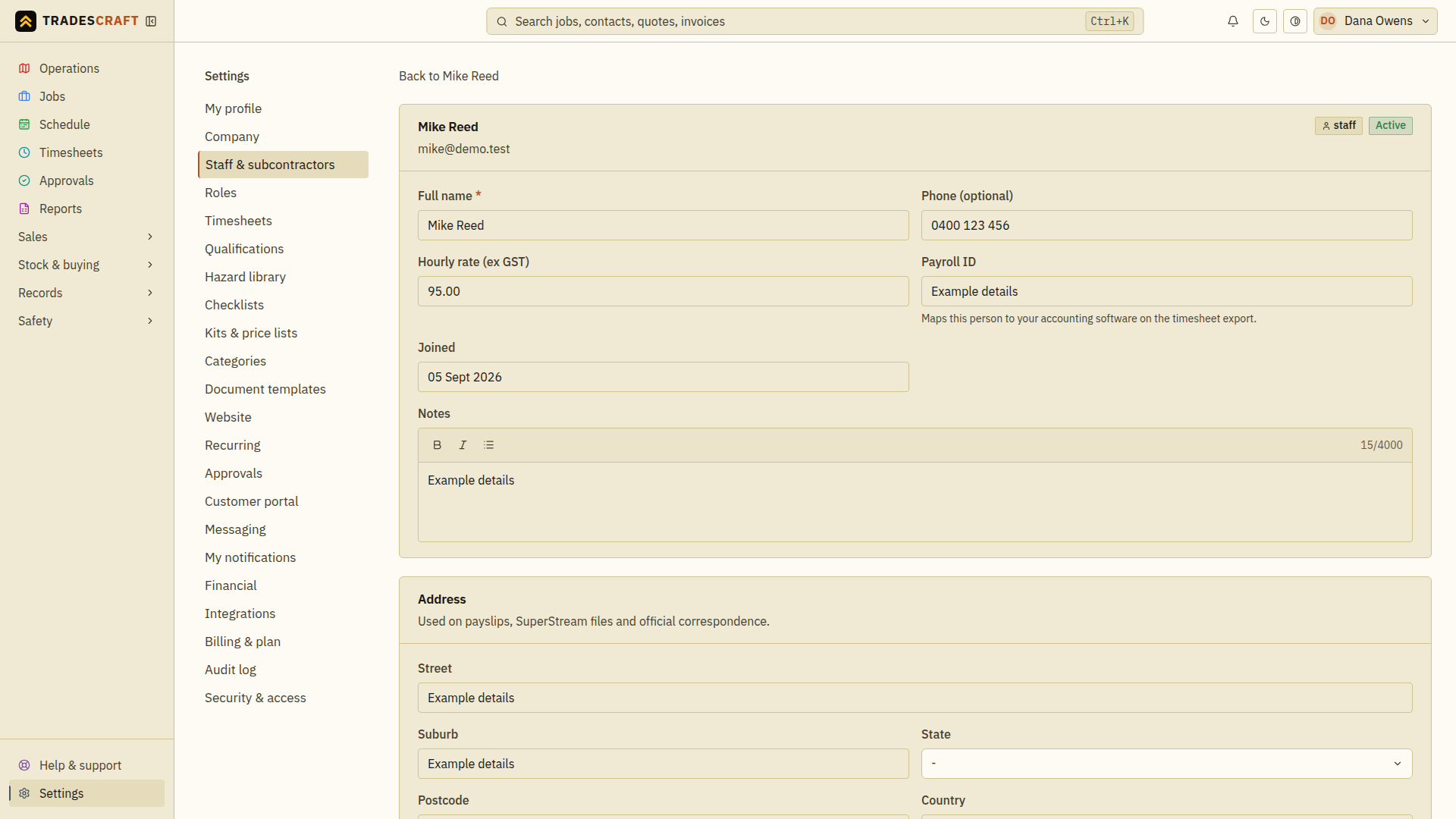
Fill in the details
Working down the record:
- Hourly rate (ex GST) and payroll ID sit on the top card, next to their name and phone. The rate is what job costing and timesheet exports use.
- Address - their home address.
- Tax - their tax file number.
- Bank account - where their pay goes (BSB + account, or the NZ account format).
- Superannuation - fund name, USI and member number.
Tap Save changes when you're done - it's greyed out until you change something, and Discard puts the details back as you found them. Changing tax, bank or super details requires you to verify with MFA. If the business is in billing read-only mode, existing details remain visible but administrator changes stay locked.
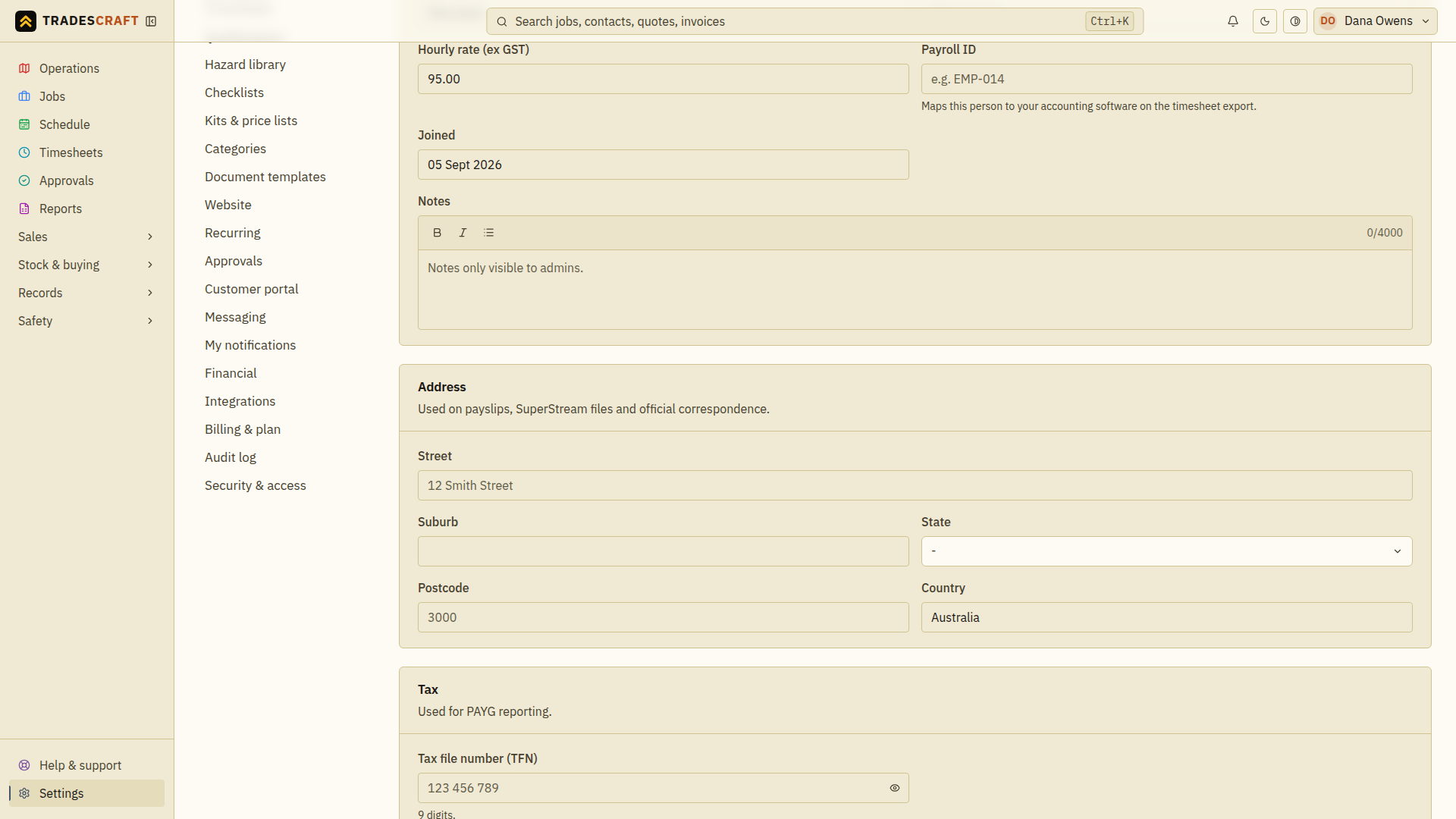
Sensitive details are masked
Tax file numbers and bank details are masked by default - you'll see a hint, not the full value. To see or change a saved value, tap Reveal saved details; the reveal requires MFA and is recorded in the audit log, because these are exactly the fields that need protecting. New values you type are saved normally after the same MFA check.
The TFN declaration (Australia)
Under TFN declaration form you can upload the worker's signed TFN declaration. It's stored encrypted. The document is not opened automatically: choose Reveal first, verify with MFA, then use the short-lived link. Every administrator reveal is recorded in the audit log. Uploading, replacing or removing another worker's declaration is also MFA-protected and unavailable while the business is billing read-only.
Good to know
- Workers can fill in their own pay and tax details from their profile - see Your profile. This admin path is for when you're onboarding them, or need to correct something. A worker's own correction/reveal path remains available in billing read-only mode so billing cannot trap access to their personal tax and payment information.
- Erasing a worker permanently wipes all of this (pay, bank, TFN and the uploaded declaration) - see Your team.
- Tradescraft is not an accounting or payroll engine: it holds these details and feeds a timesheet/payroll export. Your statutory tax and super obligations live with your accountant and Xero/MYOB.