
A few settings control how the Timesheets page behaves and what a payroll export looks like. Open Settings → Timesheets (admins).
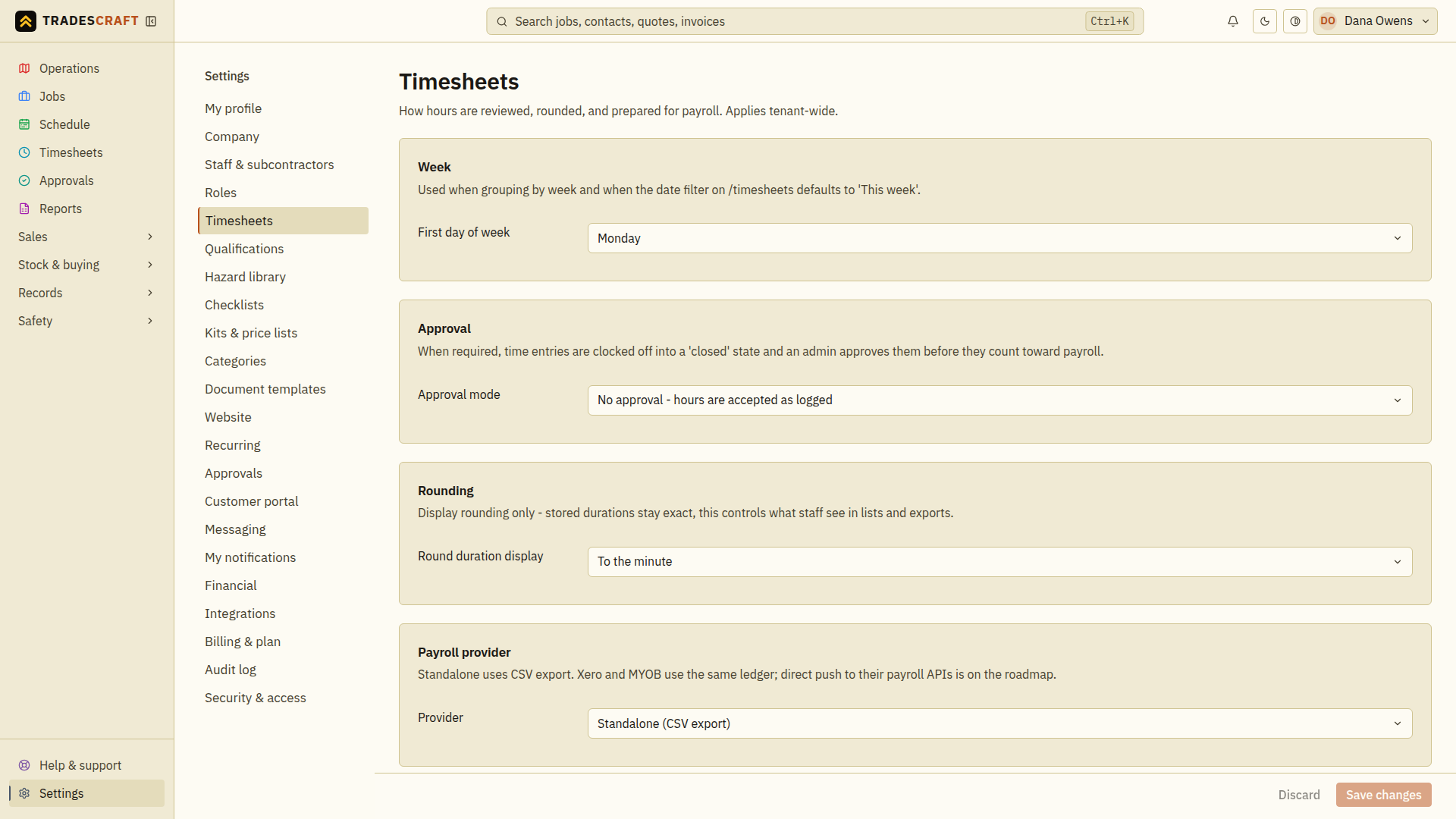
What you can set
- First day of week - the day your pay week starts. It drives weekly grouping and the "This week" default on the Timesheets date filter.
- Approval mode - No approval (hours are accepted as logged) or require an admin to approve each entry before it counts toward pay and job costing. See Approve timesheets.
- Round duration display - round the hours shown in lists and exports (e.g. to the nearest 5 or 15 minutes). This is display only - the stored times stay exact, so nobody's actual hours are changed.
- Payroll provider - AU/NZ accounts can choose Standalone (a CSV spreadsheet file), Xero Payroll, or MYOB Payroll to set the downloaded columns/layout. US accounts use Standalone. Xero Payroll and MYOB Payroll formats are only available for Australian and New Zealand accounts.
Tap Save changes when you're done - it stays greyed out until you change something, and Discard puts the page back as you found it.
Good to know
- Rounding changes the hours shown in lists and downloaded files. The original clock-on and clock-off times stay unchanged. Check the downloaded hours before using them for payroll.
- On AU/NZ accounts, Xero and MYOB here select the export format only; you still download the file and import it.
Check the effect before payroll
After saving, reopen Settings → Timesheets and check the selected week start, approval mode, rounding and provider. Open Timesheets to review the resulting period and displayed hours, then check a CSV export before importing it.
Choosing a payroll format changes the columns in the downloaded file. You still need to add that file to your payroll software and run payroll there. If saving fails, fix the error and save again before downloading timesheets.