
The My sites tab shows the sites (addresses) your tradie works at for you.
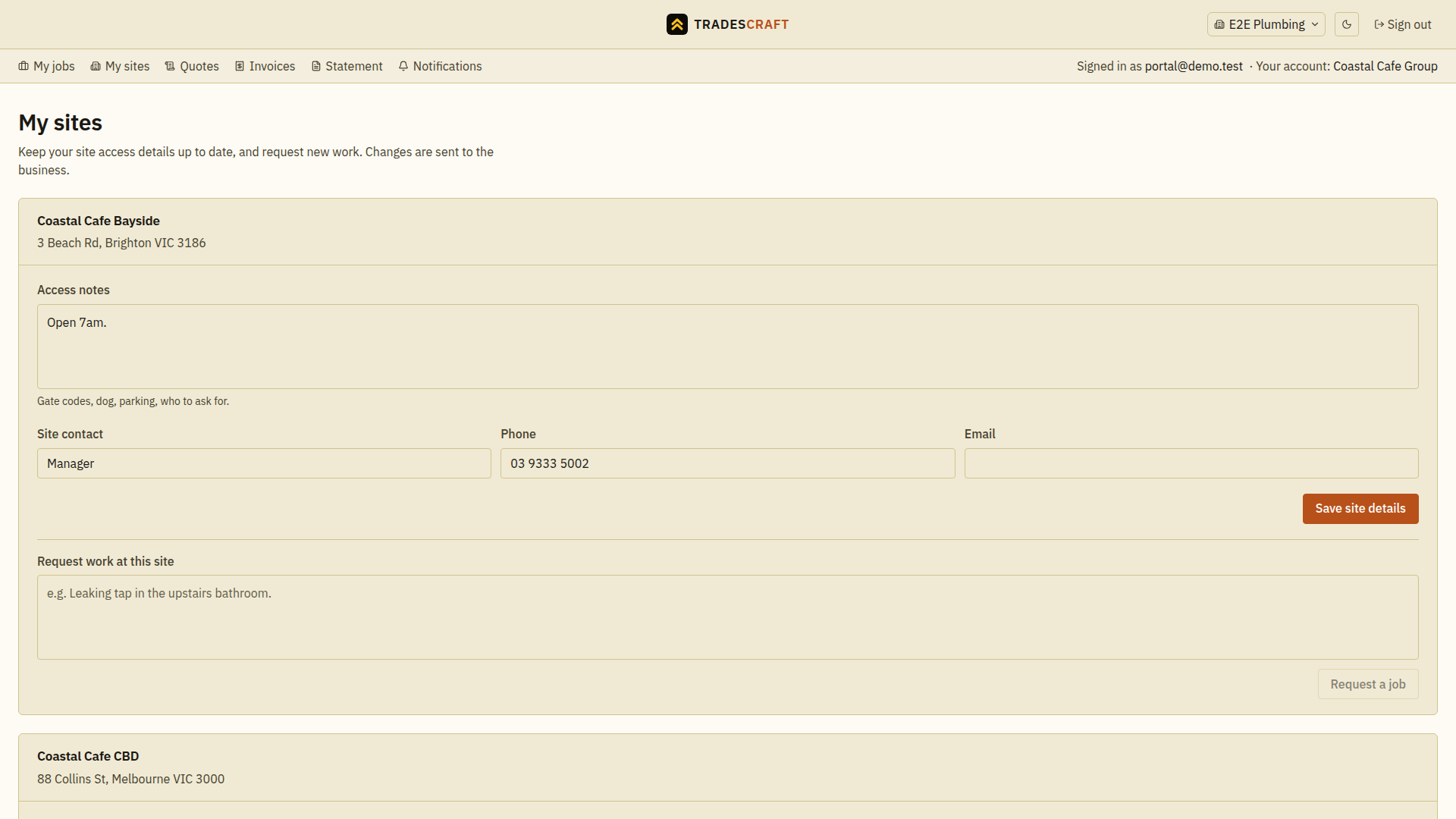
What you'll see and do
- Each of your sites, with its address and the work tied to it.
- Update a site's on-site contact and access notes, so the right details are on file.
- Request a job at a site when you need more work done.
Update details or request work
- Open My sites and find the site's name and address.
- Update Access notes, Site contact, Phone or Email, then choose Save site details. Wait for Site details saved.
- For new work, enter a clear description under Request work at this site and choose Request a job. Wait for the confirmation that the request was sent.
A request is sent to the business for review; it does not book a date or agree a price. If you cannot find a site or the editing controls, ask your tradie to check which sites and permissions they have shared with your login.