
The Statement tab is your statement of account - one summary of every invoice you still owe your tradie, with what's overdue and the total outstanding.
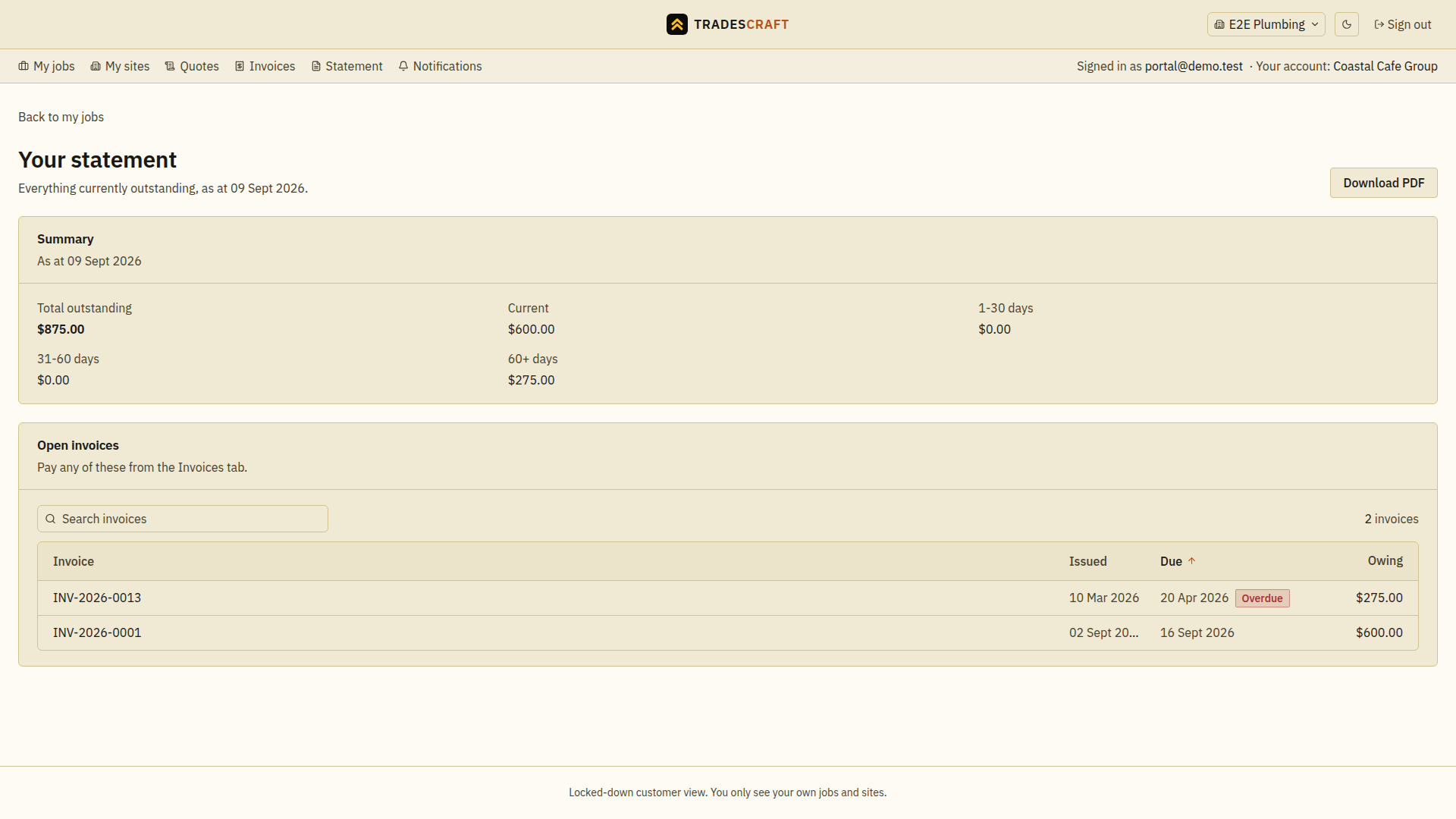
What you'll see
- Total outstanding plus an aging breakdown - what's current, and what's 1-30, 31-60 or 60+ days overdue.
- Every open invoice with its due date and the amount owing. Overdue ones are flagged.
- Download PDF gives you a branded copy of the statement to keep or forward - the same document your tradie can email you.
Paying
Pay any of these from the Invoices tab: open the invoice and pay online where your tradie accepts card. The statement updates as soon as a payment clears, so what you see here is always current.
If it says "Statement unavailable"
A statement adds up one currency. If your account happens to hold open invoices in more than one (which can happen when your tradie's accounting system bills across countries), Tradescraft won't show a total rather than show you one that added two currencies together. Get in touch with your tradie and they'll sort it out - your individual invoices are still there on the Invoices tab.
Check or download the statement
- Select the correct business and open Statement. Read the As at date and total outstanding.
- Match the open invoice references and amounts to your records. Open the corresponding invoice under Invoices if you need the line-by-line detail.
- Choose Download PDF and check that the downloaded copy is for the right business and date. The file shows the balance when it was downloaded. Return to the portal to check for later payments or charges.
If you have just paid, wait for confirmation and refresh the statement. If an amount still looks wrong, give the business the invoice and payment references so it can check them before you pay again.