
Start a new expense
From Stock & buying → Expenses, tap New expense.
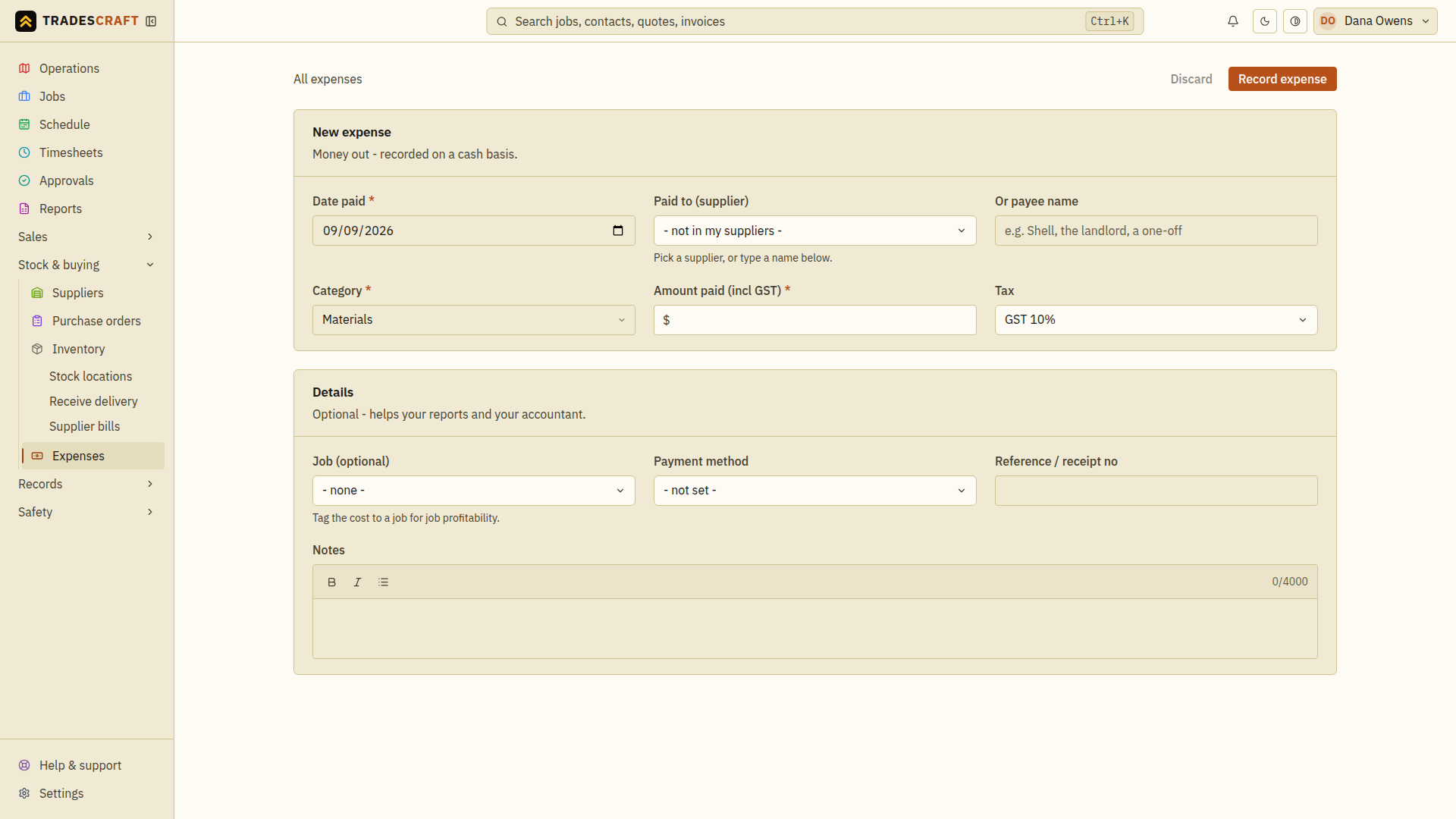
Enter the cost
- Date paid defaults to today - change it if the cost was earlier.
- Paid to - pick the supplier from your list, or just type a payee name for a one-off.
- Category (required) - Materials, Fuel, Tools, Subcontractor and so on, so your spending reports add up the way you expect.
- Amount paid (required) - enter the total off the receipt. AU/NZ accounts show the GST-inclusive label and split the GST and net amount underneath. US accounts record the full amount paid. This screen does not calculate purchase tax you can claim back; keep the supplier's receipt for your accountant.
- Job (optional) - tag the cost to a job so it lands in that job's costing and you can see real profit, not just the quote.
- Payment method - choose how you paid, such as card or bank transfer.
- Reference / receipt no - enter the receipt number or payment reference so you can match this expense to the original payment later.
- Notes - add any explanation your office or accountant will need.
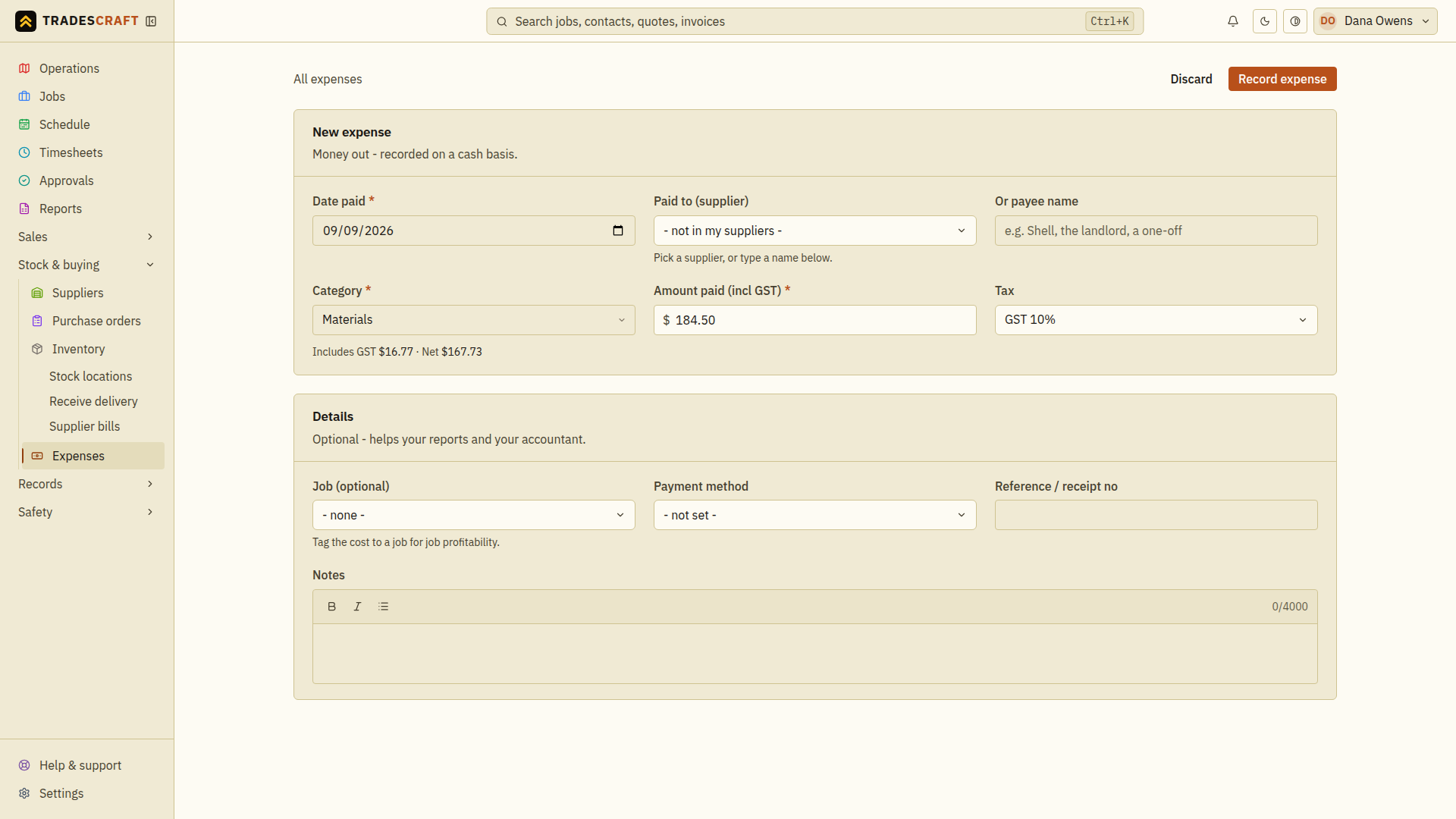
Tap Record expense to save it.
Attach the receipt
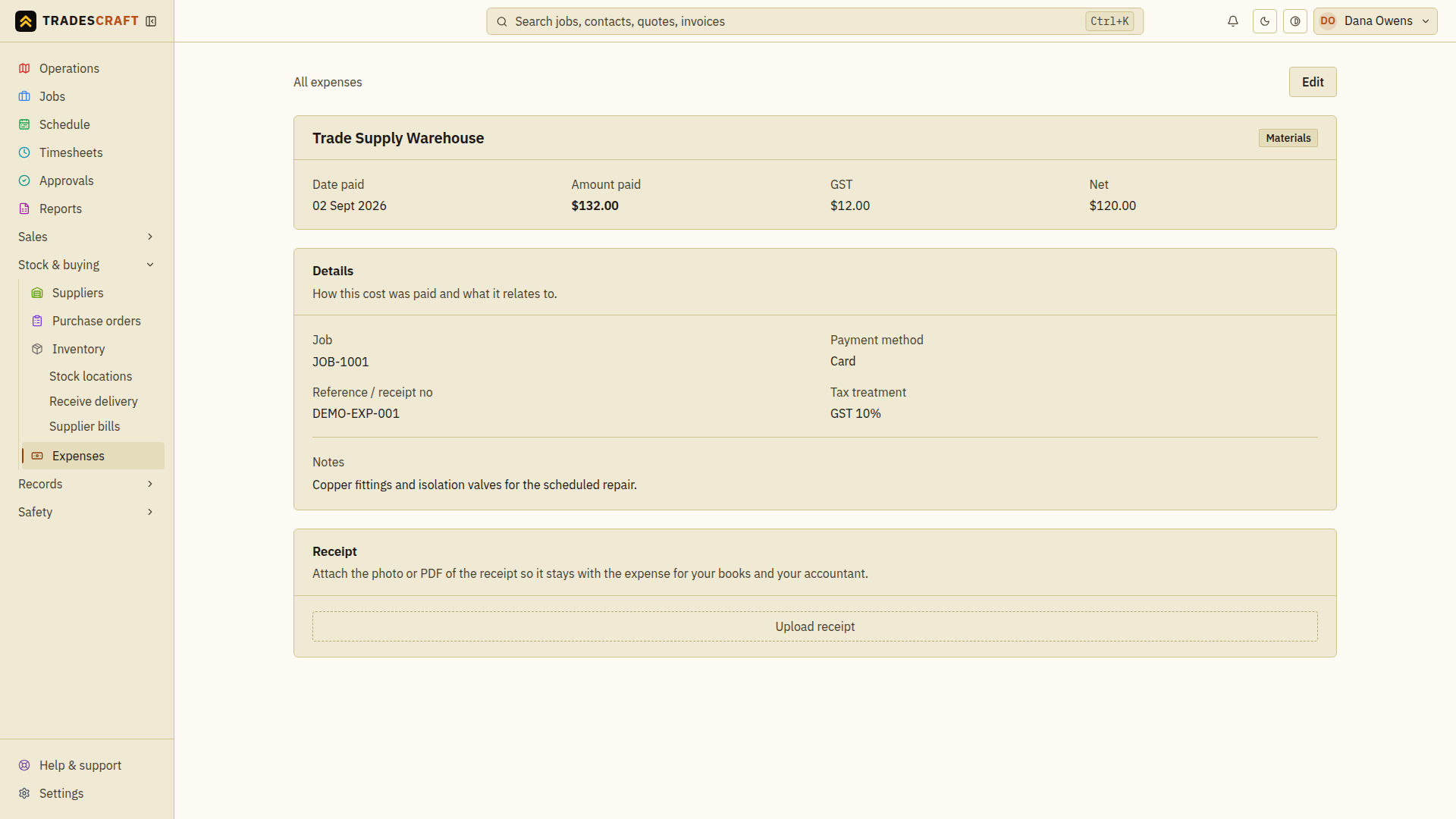
On the saved expense, use the Receipt card to Upload receipt - a photo or PDF. It stays attached to the expense for your books and your accountant, so you never have to go hunting for it later.
Tips
- Snap the receipt on the spot from your phone - that's the easiest way to never lose one.
- No supplier in your list yet? You can still type a payee name now and add the supplier later.
- Paying a subcontractor under a confirmed RCTI arrangement? RCTI means recipient-created tax invoice: you issue the invoice on the supplier's behalf. Once the expense is a Subcontractor payment to an eligible supplier with a valid ABN, open the expense and use Issue RCTI to issue the tax invoice on their behalf. Both businesses must be GST-registered. You will confirm the date the taxable supply was made, or the date you determined its value if that happened later; issue the RCTI within 28 days of that date. Tradescraft preserves the issued RCTI as it was issued. Later changes to contact details or your document design do not change that copy. Opening or downloading it again gives you the same issued document.
- RCTI issuance is an Australian workflow and is hidden for US and New Zealand accounts.