
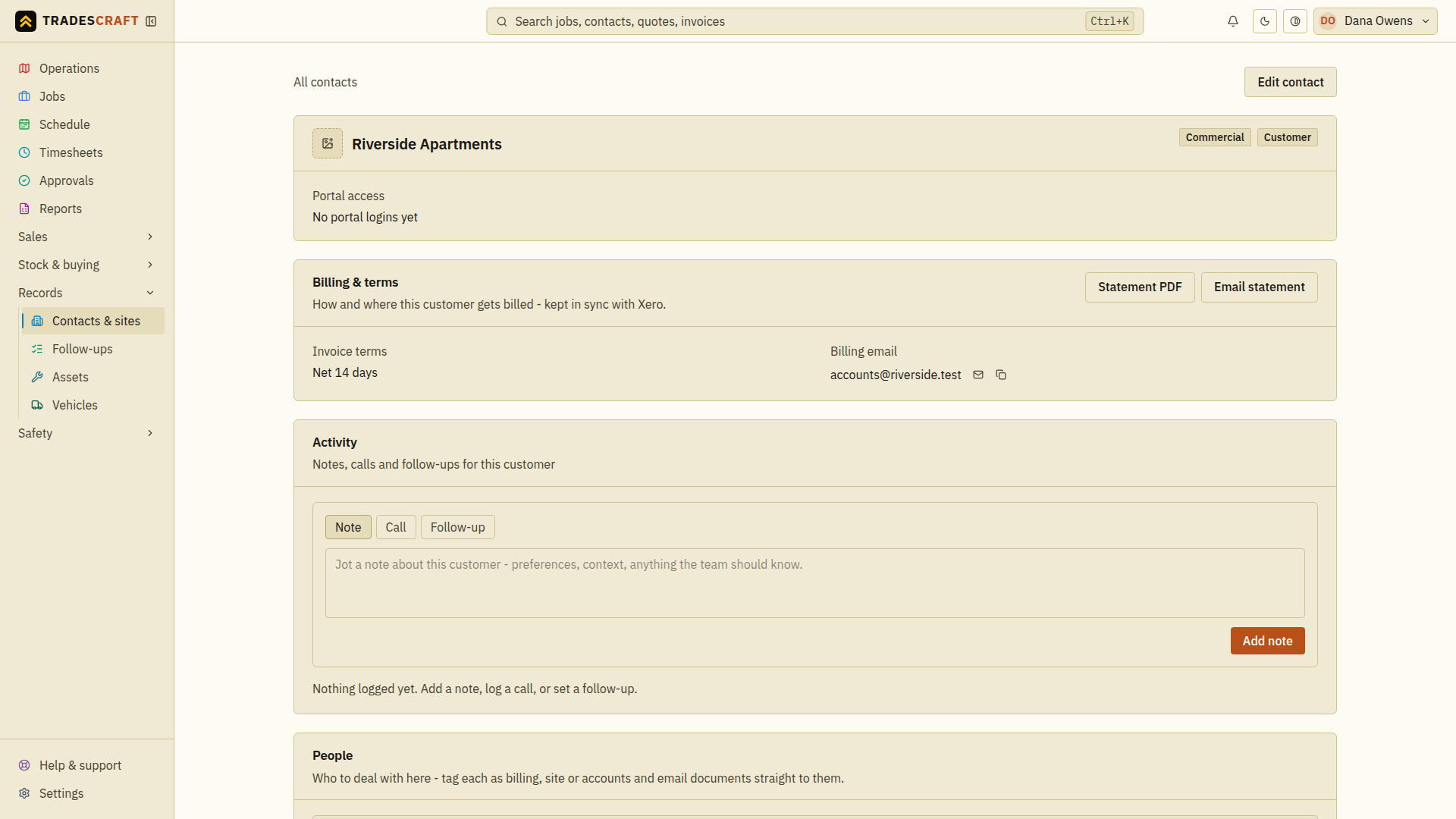
When a customer's fallen behind on more than one invoice, you don't have to chase each one. Send them a statement: a single branded summary of every open invoice and the total outstanding, with an aging breakdown. The actions live on the customer's contact page. Open Records → Contacts & sites, then the customer.
Before you send
The customer needs:
- a billing email on file (set it under their Billing & terms), and
- at least one open invoice - there's nothing to state if they're all paid.
You need the Send invoices permission - a statement puts what the customer owes in front of them, so it rides the same permission as sending an invoice. Without it you can still open Statement PDF; the email button is hidden.
Send it
- Open the customer (Records → Contacts & sites → the customer).
- Open Statement PDF first and check the customer, currency, open invoices and total. Correct the underlying invoices if anything is wrong.
- Tap Email statement and check the billing address in the confirmation.
- Confirm. Tradescraft emails a summary of every open invoice and the total owed to their billing email - with the statement attached as a PDF - and confirms the send result. If an error appears, check it before retrying; closing the dialog is not evidence that an email was sent.
Grab the PDF yourself
Tap Statement PDF on the contact page to preview the statement and download or print it - the same branded document the email attaches. Handy for handing over in person or forwarding yourself.
Good to know
- A statement is a read-only summary - it doesn't change any invoice or take a payment; it's a gentle "here's everything outstanding" nudge.
- One currency only. A statement adds up a single currency, so if a customer has open invoices in more than one (for example, a foreign-currency invoice synced from Xero on an AU/NZ account), Tradescraft names the currencies and declines to produce the statement rather than print a total that added them together. Settle or correct the odd-currency invoices in the source system, then try again.
- To chase a single invoice instead, use Send a reminder on that invoice.