
Start a report
From Safety → Incidents, tap Report incident (or Log incident on the job it happened on, which links them).
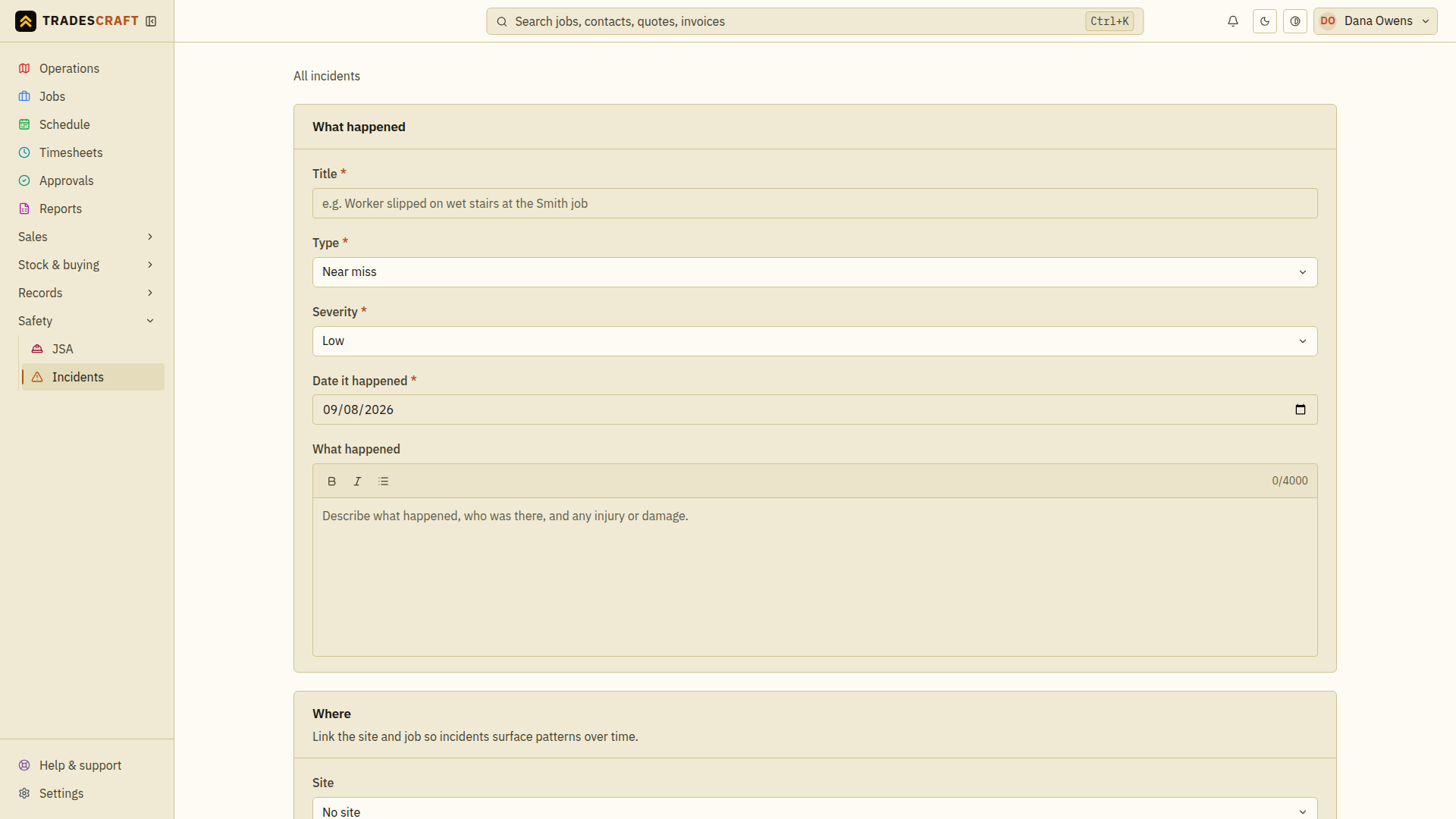
Describe what happened
- What happened - a title, the type (near miss, property damage, injury, dangerous occurrence, environmental) and the severity, the date it happened, and a clear description.
- Where - link the site and job so incidents surface patterns over time.
- People - who was involved and any witnesses, for a later investigation.
- Response - the immediate action you took to make it safe, and the follow-up actions needed so it doesn't happen again.
Tick Regulator-notifiable if it may be reportable under the safety law that applies where the incident occurred. Tradescraft can flag common high-severity cases for review, but it does not decide whether notification is legally required or notify the regulator for you.
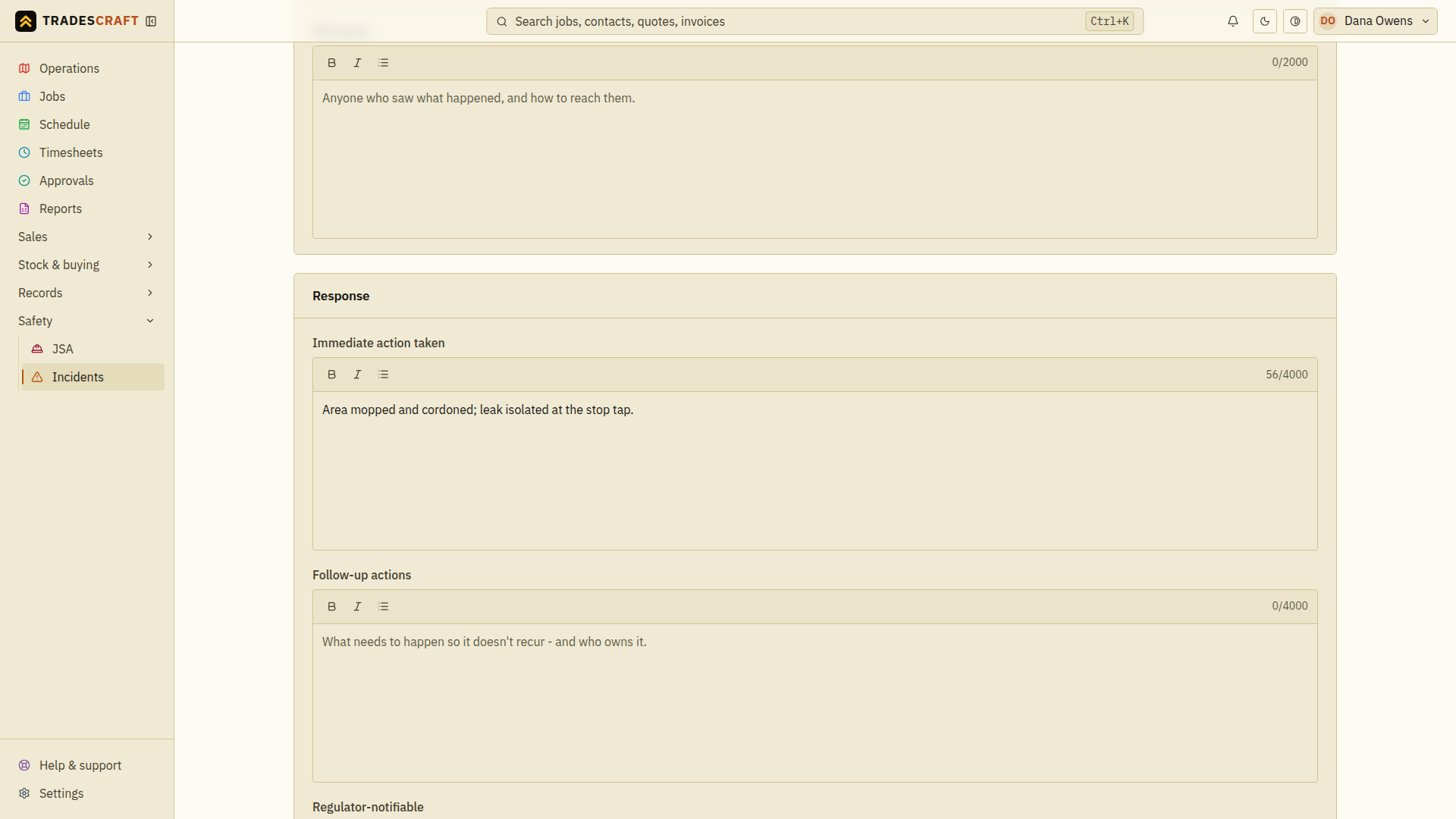
Tap Report incident to save it. Check the saved title, date, site/job and response before leaving. If the form stays open, read the error, fix the highlighted field and try again. Text still in the form may not have been saved.
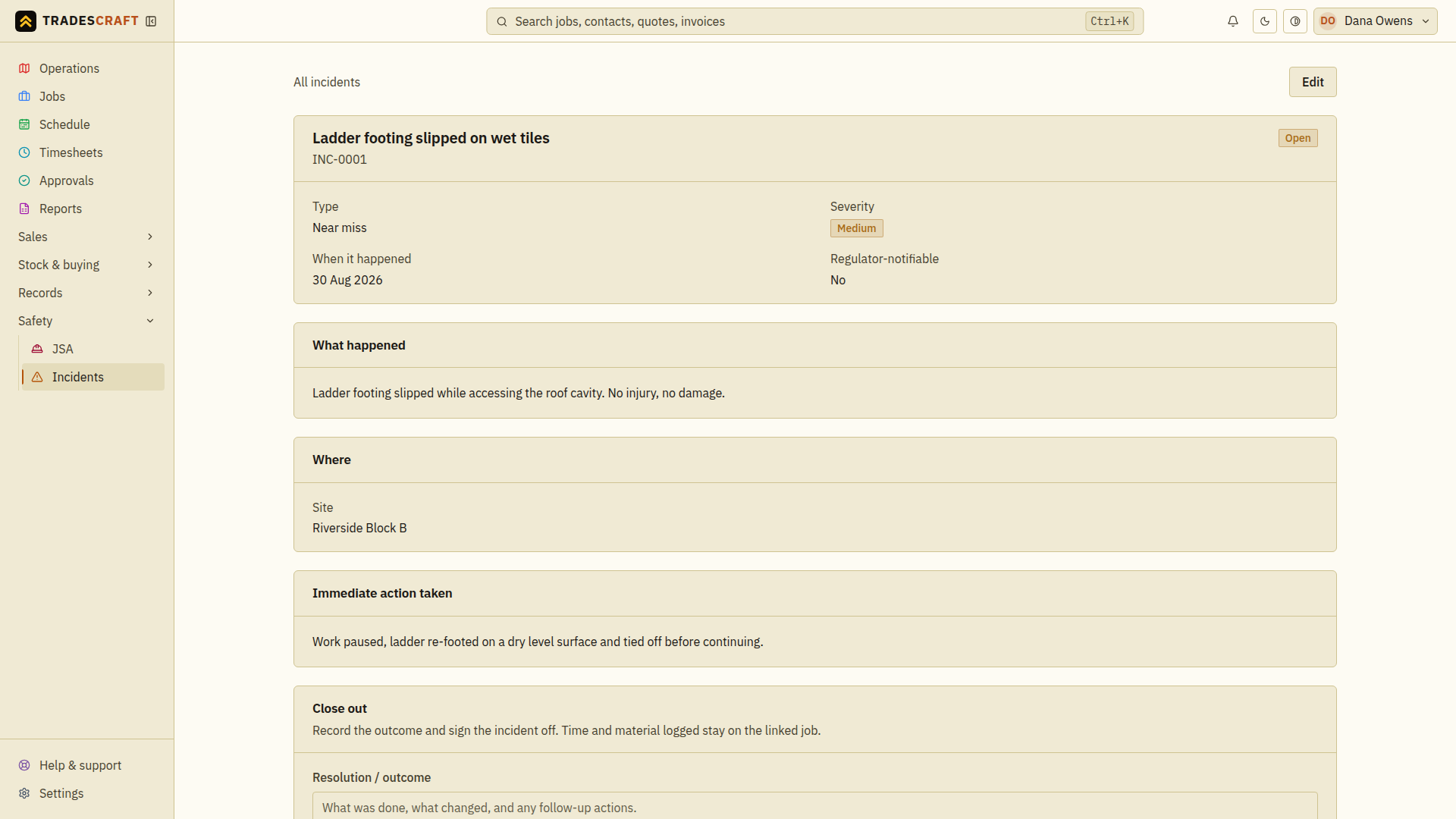
The record, and closing it out
The saved incident shows the full record and joins the job's history. When it's resolved, use Close out to record the outcome (and the date you notified the regulator, if you did) and close it.
Tips
- Log near misses too - they're the early warning that stops the next one being an injury.
- Confirm notification duties and deadlines with the relevant regulator; they differ by country, state and incident type.