
My notifications is where you tune your own alerts. These are the things Tradescraft tells you about (not the messages that go to customers - those live under Financial settings and Messaging). Open it from Settings → My notifications.
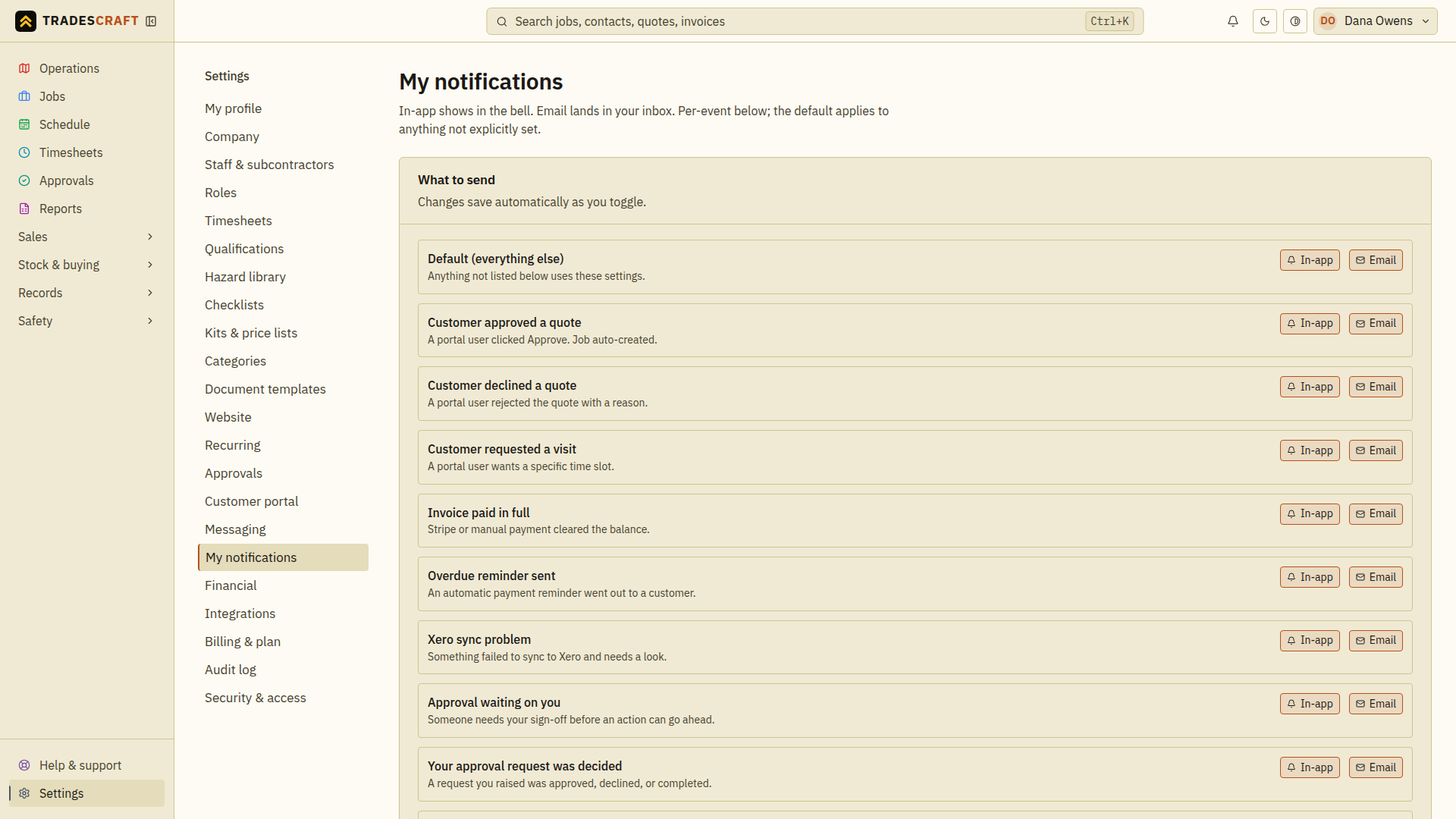
What to send
A row for each kind of alert, with two toggles - In-app (shows in the bell, top of the screen) and Email (lands in your inbox). Turn each on or off independently; changes save as you toggle - there's no Save button here, so each flip confirms at the bottom of the screen to tell you it stuck. The Default row covers anything not set specifically.
The alerts you can tune include:
- A customer approved or declined a quote.
- A customer requested a visit (appointment).
- An invoice was paid in full.
- An overdue reminder went out to a customer.
- For an AU/NZ account, a Xero sync problem. This event type is not shown to US accounts.
- An approval is waiting on you, or your approval request was decided.
- A kit part was archived.
Push on this device
Turn on Push on this device to get alerts on the phone or computer you're using right now, even when Tradescraft isn't open. It's per device, so turn it on for each one you want (and it only shows if your browser supports it).
How this relates to the bell
The In-app toggle decides whether an event shows up in your notifications bell. The bell itself is your inbox - mark items read, dismiss them, Mark all read, or View all for the full list. Turning an event's in-app toggle off just keeps it out of the bell; it doesn't change what happens in the app.
Enable push and check the device
- On the device where you want alerts, open Settings → My notifications.
- Use Push on this device and allow notifications in the browser's prompt.
- Check the saved enabled state. Repeat on another device if you want alerts there too; turning alerts on for one device does not turn them on for the others.
If permission was denied, change the site's notification permission in your browser settings and return to this page. If the control is absent, that browser may not support push. Your in-app bell remains a separate way to read alerts.