
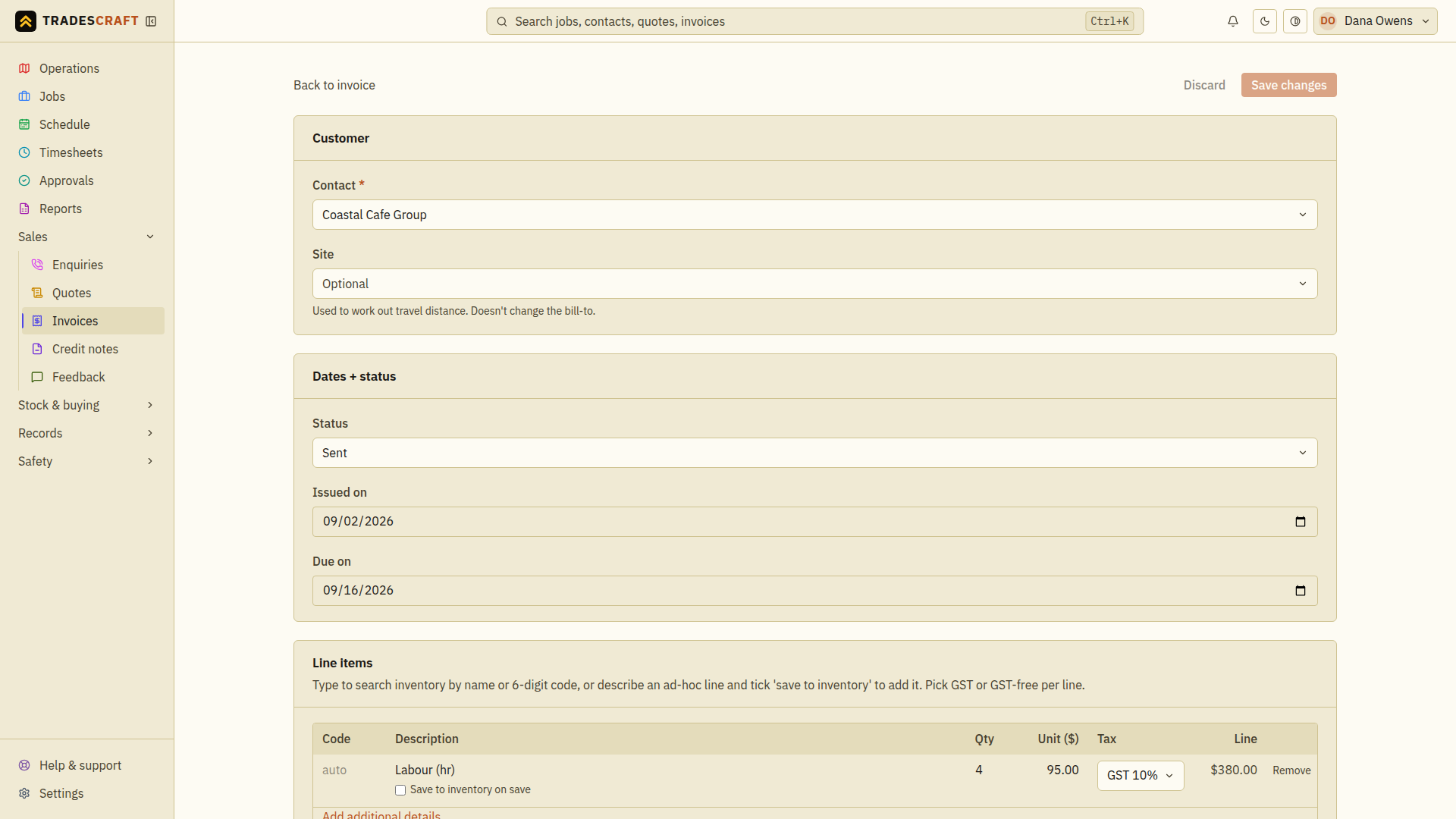
Open an invoice and tap Edit invoice (top-right). You get the same three- section form you built it with - Customer / Dates + status / Line items - pre-filled with everything on the invoice.
What you can change
- Customer - if it was raised against the wrong one.
- Dates + status - the issued/due dates and the status.
- Line items - add or remove lines, change a description, qty, Unit ($) or Tax per line; the Subtotal, country-appropriate tax and Total re-calculate. AU/NZ use GST treatments. US documents use Taxable, Exempt or Not subject to sales tax and retain their saved combined rate. Use Add line, Apply kit or Add travel.
Save and check the balance
- Review the changed lines and dates, then check the total against what you intend to bill. An existing payment is not a reason to add the same payment again after editing.
- Tap Save changes and wait for Invoice saved. Use Discard to abandon unsaved edits. If an error message appears, correct the named field and save again.
- Return to the invoice and check Total, Paid and Outstanding. If the customer needs the revised document, choose Email to contact on that page; saving the form does not email a replacement.
Editing restrictions
- If a US invoice says Verify destination sales tax before sending, PDF/print, email, reminders, customer-portal access and Stripe Payment Link creation are all blocked. Open Edit invoice, verify the Combined sales tax rate, and save. A generated draft may start in this state deliberately.
- The tax rate is editable only while a US invoice is Draft. After it leaves Draft, you cannot change the saved tax rate; use a credit note for an issued financial correction.
- Editing changes the invoice itself; payments and deposits already recorded against it are kept - the Outstanding figure simply re-balances against the new total.
- AU/NZ changes can sync to Xero, except where an invoice is locked there (Tradescraft never overwrites a locked Xero invoice). Xero is not offered to US accounts.