
Cleaning up a customer or supplier you'll never work with again? You can delete a contact from the list. It's permanent, so it's for genuine tidy-ups - not for a customer you might come back to. Open Records → Contacts & sites.
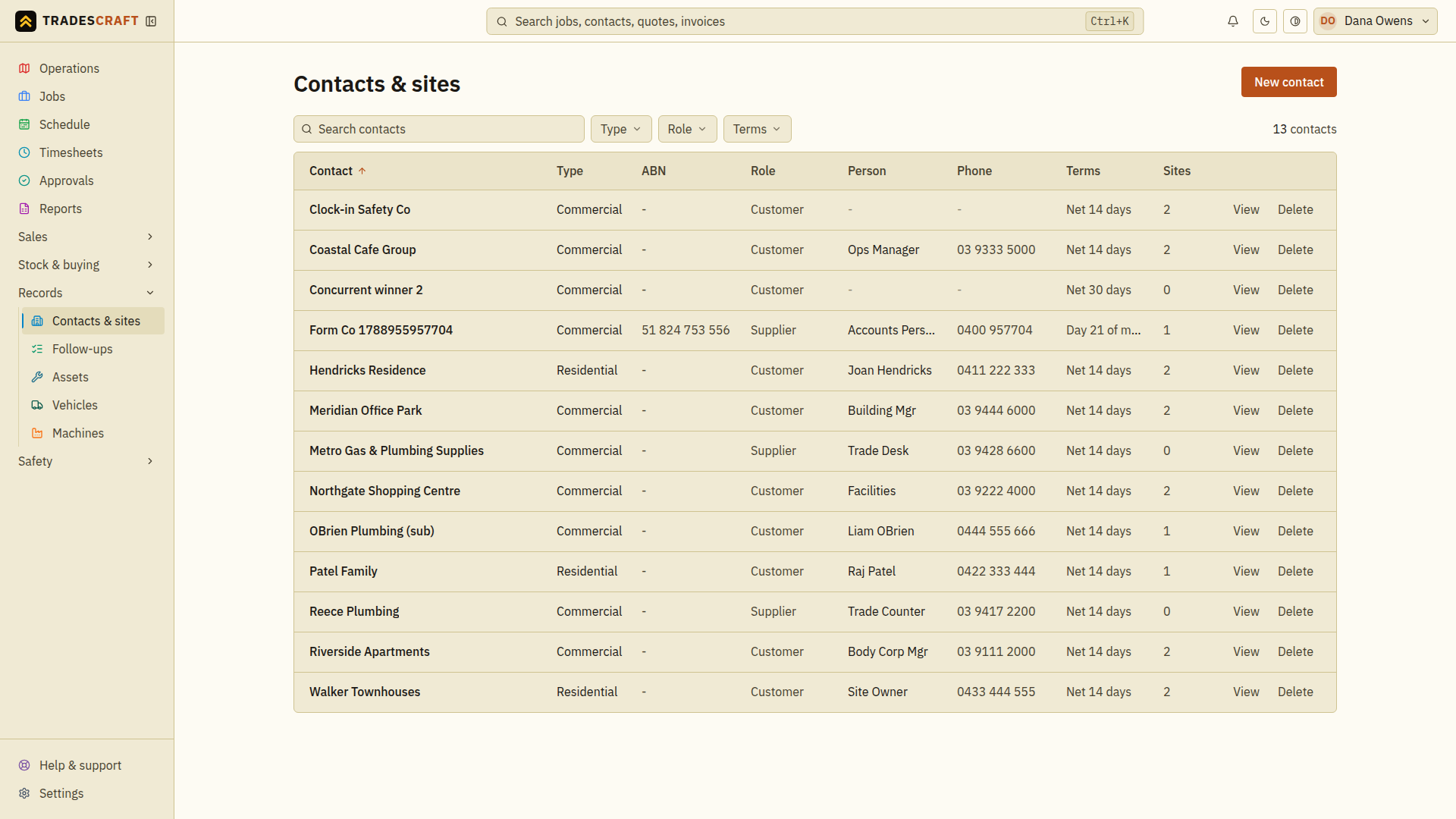
Delete one
- Open Records → Contacts & sites and find the contact.
- On its row, tap Delete (on the right).
- Read the confirmation and check it names the intended contact. Confirm only if this is the record you mean to remove; otherwise cancel.
- Wait for the result and check the contact is removed from the list. If deletion is refused, read the reason and resolve it before retrying. A closed dialog alone does not prove the record was deleted.
What it removes
Deleting a contact permanently removes the contact record and its sites, along with any files kept against it (like a logo). It can't be recovered.
Good to know
- This is not archiving. If you might deal with the customer again, or you need to keep their job/invoice history for your records, don't delete them - just leave them be.
- On an AU/NZ account, a contact synced from Xero should generally be tidied up in Xero too, so the two stay in step. Xero is not shown for US accounts.