
The audit log is a history of recorded changes. It shows what happened, when, and who made the change where that information is available. Private details may be hidden. Use it to answer "who edited this quote?" or "when was that job deleted, and by whom?", this is where you look. It's admin-only (it can show other people's before-and-after details across the whole business) and you open it from your name (top-right) -> Audit log, or from Settings -> Audit log.
Reading an entry
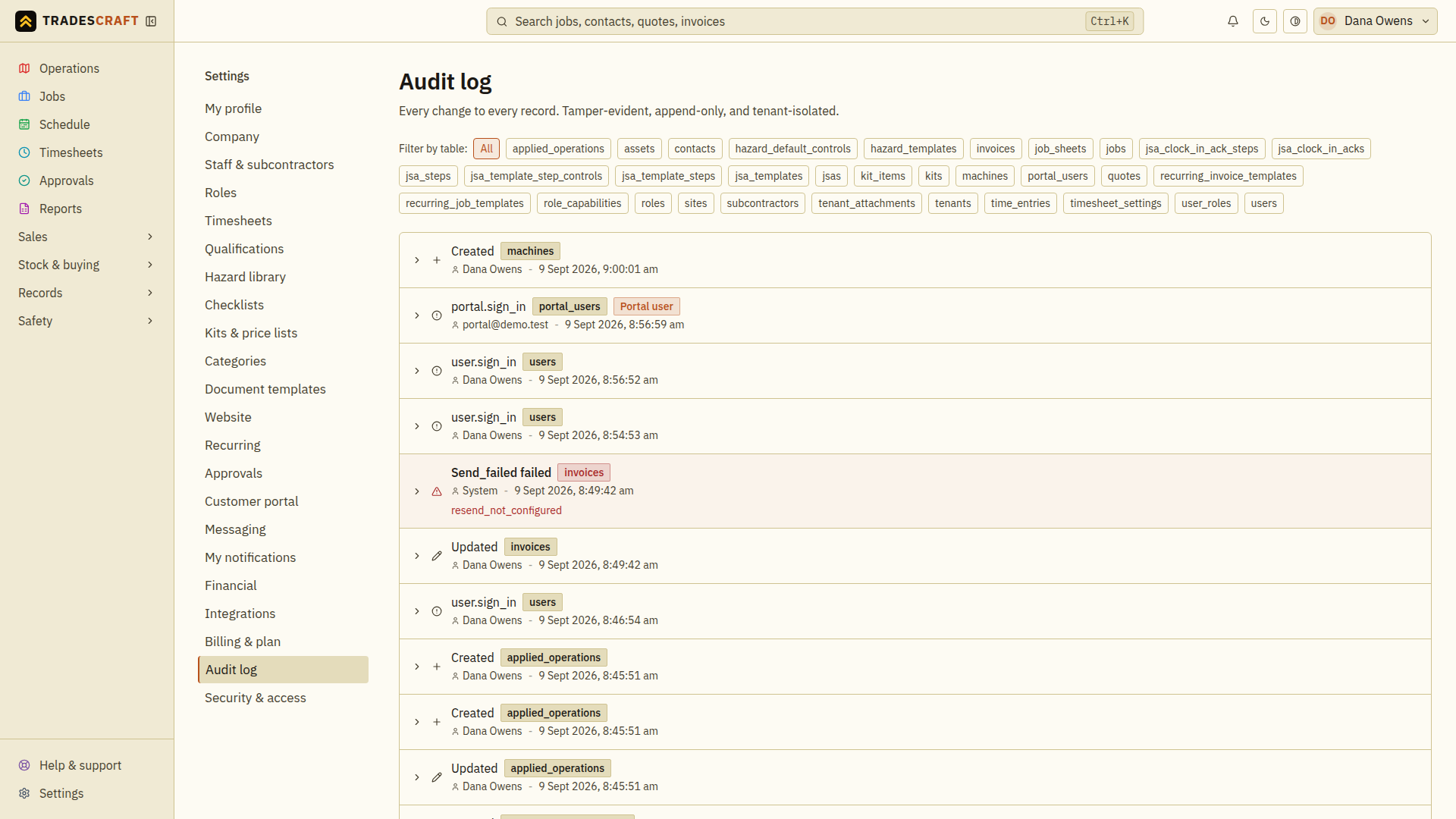
Each row is one change, newest first:
- What happened - Created, Updated or Deleted (a failed action shows in red, e.g. "Save failed", with the reason).
- Which record - a coloured label for the type of record (jobs, invoices, contacts, assets...).
- Who - the person's name, or System for an automated change (such as an update from a connected service). A change made by a customer through the portal is tagged Portal user.
- When - the exact date and time, in your business's timezone.
Click a row to expand the available details. Some changes include before and after values; private details may be hidden.
Narrowing it down
Use the Filter by table buttons across the top to show just one kind of record - tap invoices to see only invoice changes, contacts for customer changes, and so on. Tap All to go back to everything.
Good to know
- You cannot edit or delete an audit entry. The log may show changes to a deleted record, but it cannot bring that record back.
- You only see activity for your own business.
- The log updates live - new changes appear without a refresh.
- Only admins can open it, because the detail can include other staff members' information.