
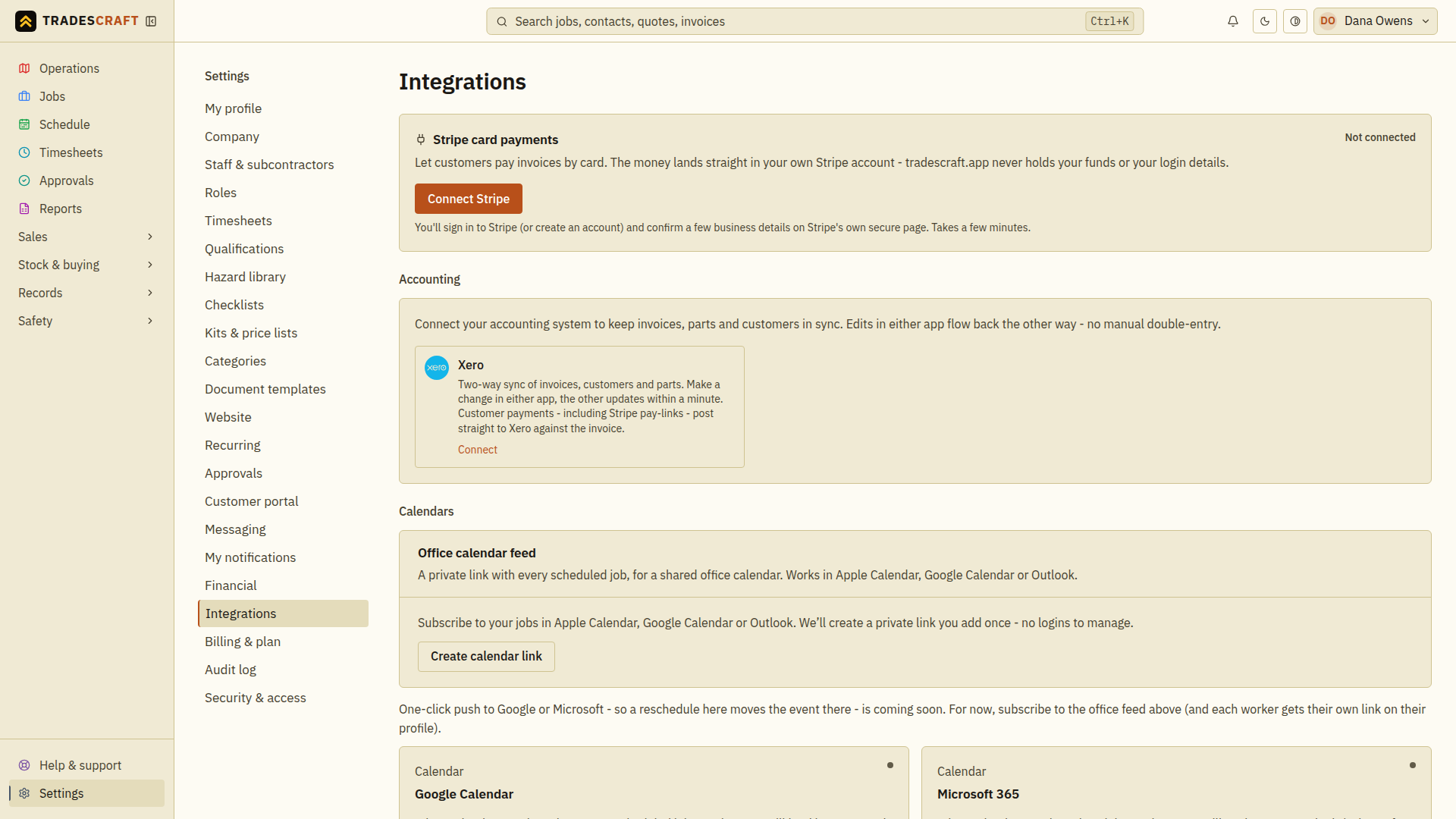
Integrations means connections to other services. Open Settings → Integrations and find the service you want. If a message says only an admin can connect it, ask the person who manages your business account.
Connect and check one service
- Read the service's status. If it is already connected, check the business name before making changes.
- Choose its setup button. Use the guides below for the complete steps.
- If another service's sign-in page opens, sign in to the intended account and approve access there.
- Return to Tradescraft. Read the result and finish any remaining setup.
- Check that the connection does what you need, such as showing a booked job in your calendar or the same invoice in Xero.
Opening a setup page does not complete the connection. If it reports an error, follow the message before trying again.
What you can connect
Stripe card payments
Use Stripe to let customers pay invoices by card. Connect it here, then create a payment link on an invoice. A confirmed payment updates the invoice balance; Stripe transfers the money to your bank separately.
Follow Stripe card payments.
Xero
Australian and New Zealand businesses can connect Xero. This is not available for US accounts.
Supported changes to customers, invoices, bills and parts can copy between the two apps. This is called syncing. Setup includes choosing the Xero accounts to use for sales, bills and payments. Ask your accountant if you are unsure.
Follow Connect Xero. Check the last-sync time and Activity to confirm a change arrived before entering it again.
Calendars
An office calendar feed is a private link that lets your calendar show the business's jobs and appointments. Add it as a subscription in Google Calendar, Apple Calendar or Outlook. A subscription allows later changes to appear too.
If a Google Calendar or Microsoft 365 card offers Connect, you can follow that service's sign-in steps for direct updates. If it later asks you to reconnect, sign in again from that card.
Check that a booked appointment appears in your calendar. Updates may take time; use Tradescraft to check urgent schedule changes. For a calendar of your own assigned jobs, follow Your jobs in your calendar.
If billing prevents a change
If the business is read-only, you can view existing information, but new connections and changes pause until the account owner restores the subscription. Updates waiting to run are kept for later.
If the message says billing status is temporarily unavailable, refresh later. Disconnect remains available if you need to remove a service's access.